> ## Documentation Index
> Fetch the complete documentation index at: https://opencals.com/docs/llms.txt
> Use this file to discover all available pages before exploring further.
# Clear Care — clinic booking template
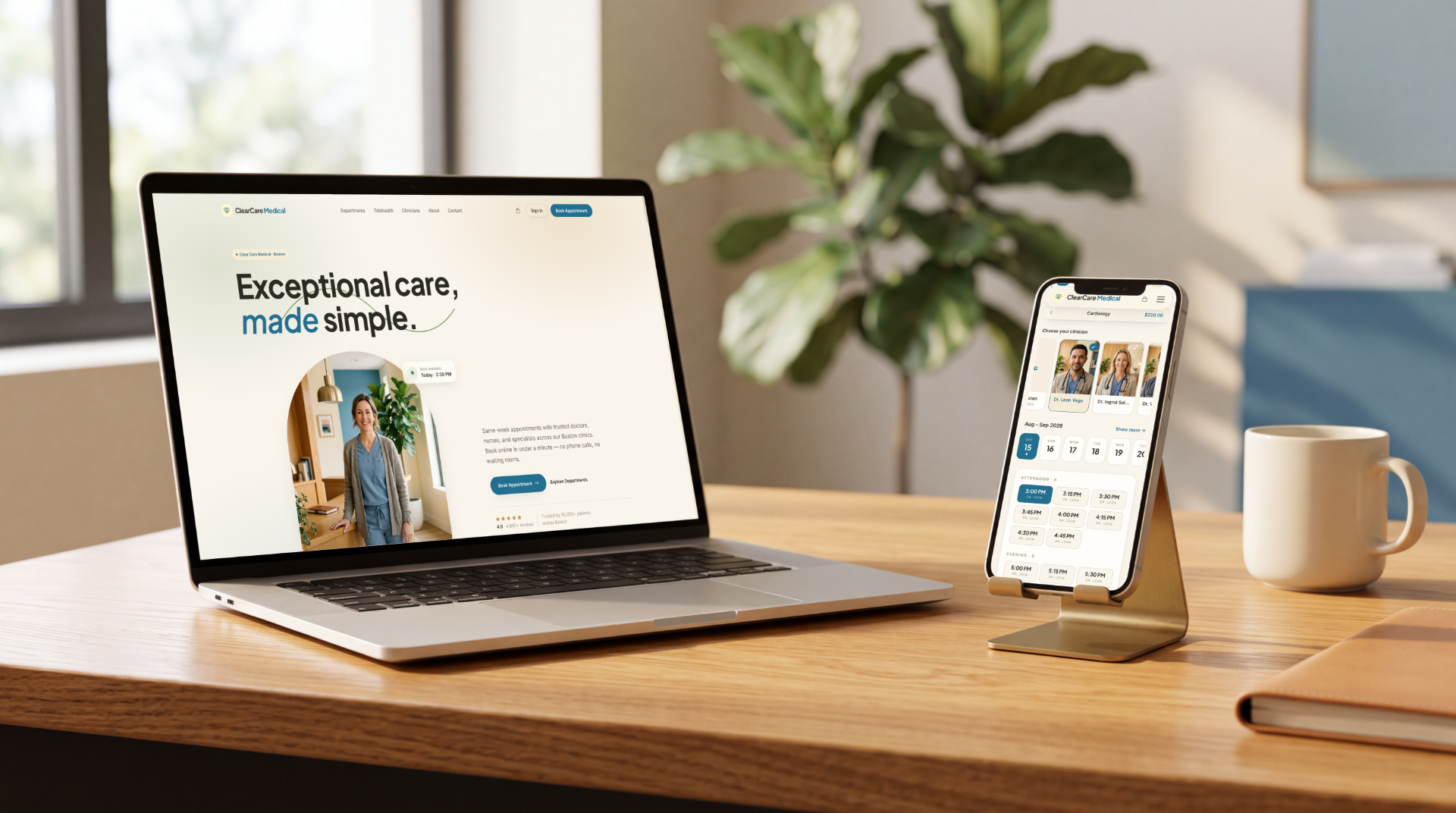
> Free, open-source medical clinic booking website template. Next.js 15, Stripe checkout, department-first booking, medical intake, passwordless customer accounts — built on the Opencals Storefront API.
A complete medical clinic booking website you can clone and deploy today. Clear
Care is the clinic counterpart to [Haar](/docs/open-source/haar) and
[Frisor](/docs/open-source/frisor): the same
[Storefront API](/docs/api-reference/introduction) and typed
[TypeScript SDK](/docs/guides/storefront-sdk) underneath, a different vertical and a
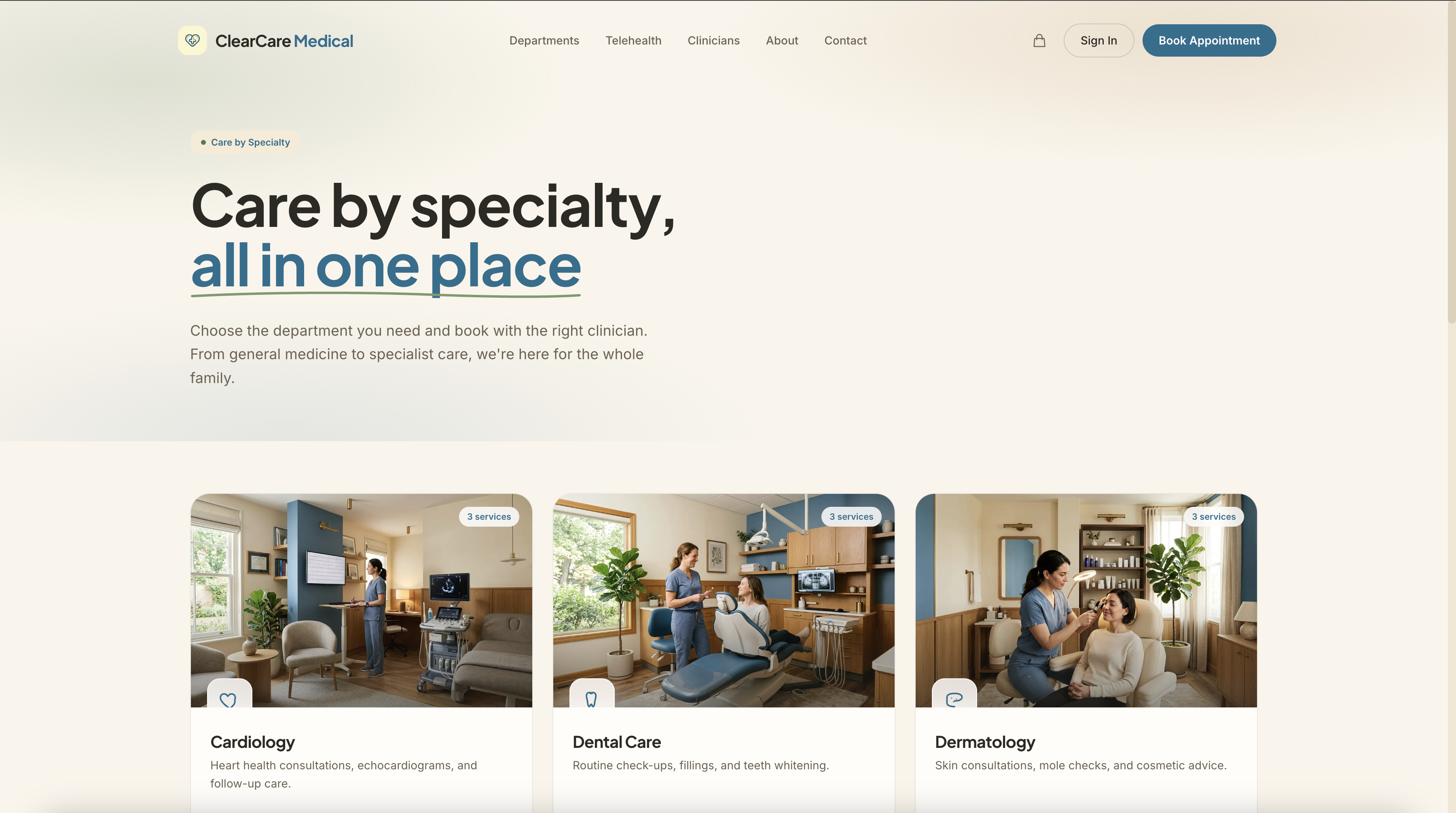
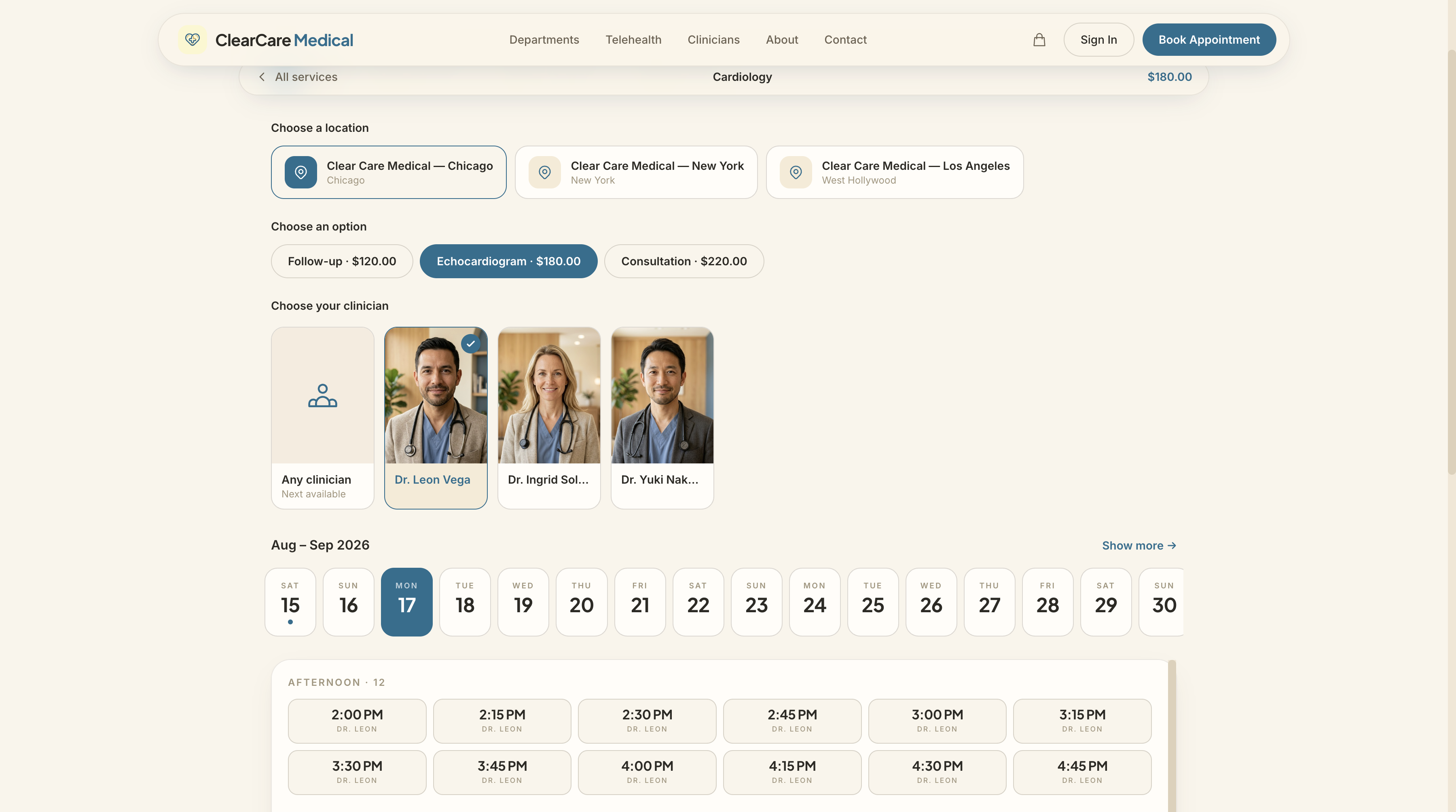
warm, organic clinical design. Every screen — departments, service picker,
clinician and location selectors, time slots, medical intake, checkout,
customer account — is built with the public API.
template-clarity.vercel.app
letsopencals/template-clarity (MIT)
One-click deploy
 ## What's inside
| Feature | Notes |
| ---------------------------------- | ----------------------------------------------------------------------------------------------------------------------------------------------------------- |
| Department-first browsing | Product Collections endpoints — General Medicine, Cardiology, Dermatology, Pediatrics, Physiotherapy, Dental, Nutrition, Mental Health, Labs & Vaccinations |
| Service catalog | Driven by the Products endpoints |
| Clinician & multi-location booking | Staff Members + Locations endpoints — three clinics out of the box, clinicians filtered by location |
| Real-time availability | Appointments endpoints — group sessions show live "N left" capacity |
| Medical intake at checkout | Custom checkout questions — reason for visit, insurance provider, new-patient flag, saved to the appointment |
| Cart & Stripe checkout | Cart + Checkout + Payment endpoints, deposits supported |
| Passwordless customer accounts | Self-Service endpoints — 6-digit email login (password fallback), bookings, reschedules, cancellations, one-time email links via `/link/[token]` |
| Stack | Next.js 15, TypeScript, Tailwind v4, `@opencals/storefront-sdk` |
## Get started
```bash theme={"theme":{"light":"github-light","dark":"github-dark-default"}}
git clone https://github.com/letsopencals/template-clarity.git
cd template-clarity
npm install
```
Create a store in the [Opencals dashboard](https://opencals.com) — choose the
**Medical / Clear Care Medical** dataset preset to seed the clinic's
departments, services, and clinicians — then grab a Storefront API key (see
[Authentication](/docs/authentication)) and set it in `.env.local`.
```bash theme={"theme":{"light":"github-light","dark":"github-dark-default"}}
npm run dev
```
Your clinic's real departments, clinicians, and availability render immediately.
Push to your own repo and
[deploy to Vercel](https://vercel.com/new/clone?repository-url=https%3A%2F%2Fgithub.com%2Fletsopencals%2Ftemplate-clarity),
or host anywhere Next.js runs.
## Make it yours
The template is MIT-licensed: rebrand it, restructure it, or use it as a
starting point for client work. All clinic-specific copy is centralized in a
single `lib/site-config.ts`, and every colour and font is a Tailwind v4
`@theme` token, so components keep working when you change the values. Agencies
can run one codebase against multiple stores — each deployment just points at a
different API key. To go deeper than theming, follow the
[booking page tutorial](/docs/guides/build-a-booking-page) to understand the API
calls behind each screen.
## What's inside
| Feature | Notes |
| ---------------------------------- | ----------------------------------------------------------------------------------------------------------------------------------------------------------- |
| Department-first browsing | Product Collections endpoints — General Medicine, Cardiology, Dermatology, Pediatrics, Physiotherapy, Dental, Nutrition, Mental Health, Labs & Vaccinations |
| Service catalog | Driven by the Products endpoints |
| Clinician & multi-location booking | Staff Members + Locations endpoints — three clinics out of the box, clinicians filtered by location |
| Real-time availability | Appointments endpoints — group sessions show live "N left" capacity |
| Medical intake at checkout | Custom checkout questions — reason for visit, insurance provider, new-patient flag, saved to the appointment |
| Cart & Stripe checkout | Cart + Checkout + Payment endpoints, deposits supported |
| Passwordless customer accounts | Self-Service endpoints — 6-digit email login (password fallback), bookings, reschedules, cancellations, one-time email links via `/link/[token]` |
| Stack | Next.js 15, TypeScript, Tailwind v4, `@opencals/storefront-sdk` |
## Get started
```bash theme={"theme":{"light":"github-light","dark":"github-dark-default"}}
git clone https://github.com/letsopencals/template-clarity.git
cd template-clarity
npm install
```
Create a store in the [Opencals dashboard](https://opencals.com) — choose the
**Medical / Clear Care Medical** dataset preset to seed the clinic's
departments, services, and clinicians — then grab a Storefront API key (see
[Authentication](/docs/authentication)) and set it in `.env.local`.
```bash theme={"theme":{"light":"github-light","dark":"github-dark-default"}}
npm run dev
```
Your clinic's real departments, clinicians, and availability render immediately.
Push to your own repo and
[deploy to Vercel](https://vercel.com/new/clone?repository-url=https%3A%2F%2Fgithub.com%2Fletsopencals%2Ftemplate-clarity),
or host anywhere Next.js runs.
## Make it yours
The template is MIT-licensed: rebrand it, restructure it, or use it as a
starting point for client work. All clinic-specific copy is centralized in a
single `lib/site-config.ts`, and every colour and font is a Tailwind v4
`@theme` token, so components keep working when you change the values. Agencies
can run one codebase against multiple stores — each deployment just points at a
different API key. To go deeper than theming, follow the
[booking page tutorial](/docs/guides/build-a-booking-page) to understand the API
calls behind each screen.