

Opencals vs Calendly: detailed comparison for service businesses
Calendly changed how professionals coordinate meetings. But it was built for one thing: getting people in a room at the same time. If your business sells services—not just meetings—the comparison changes.
Opencals and Calendly solve different problems. Calendly is a meeting scheduler. Opencals is a service commerce platform. That gap is the thing to weigh before you pick one.
1:1 meetings
Calendly's core strength
Complex services
Opencals handles multi-variable availability
$1/booking
Opencals usage-based pricing
How these platforms approach scheduling differently
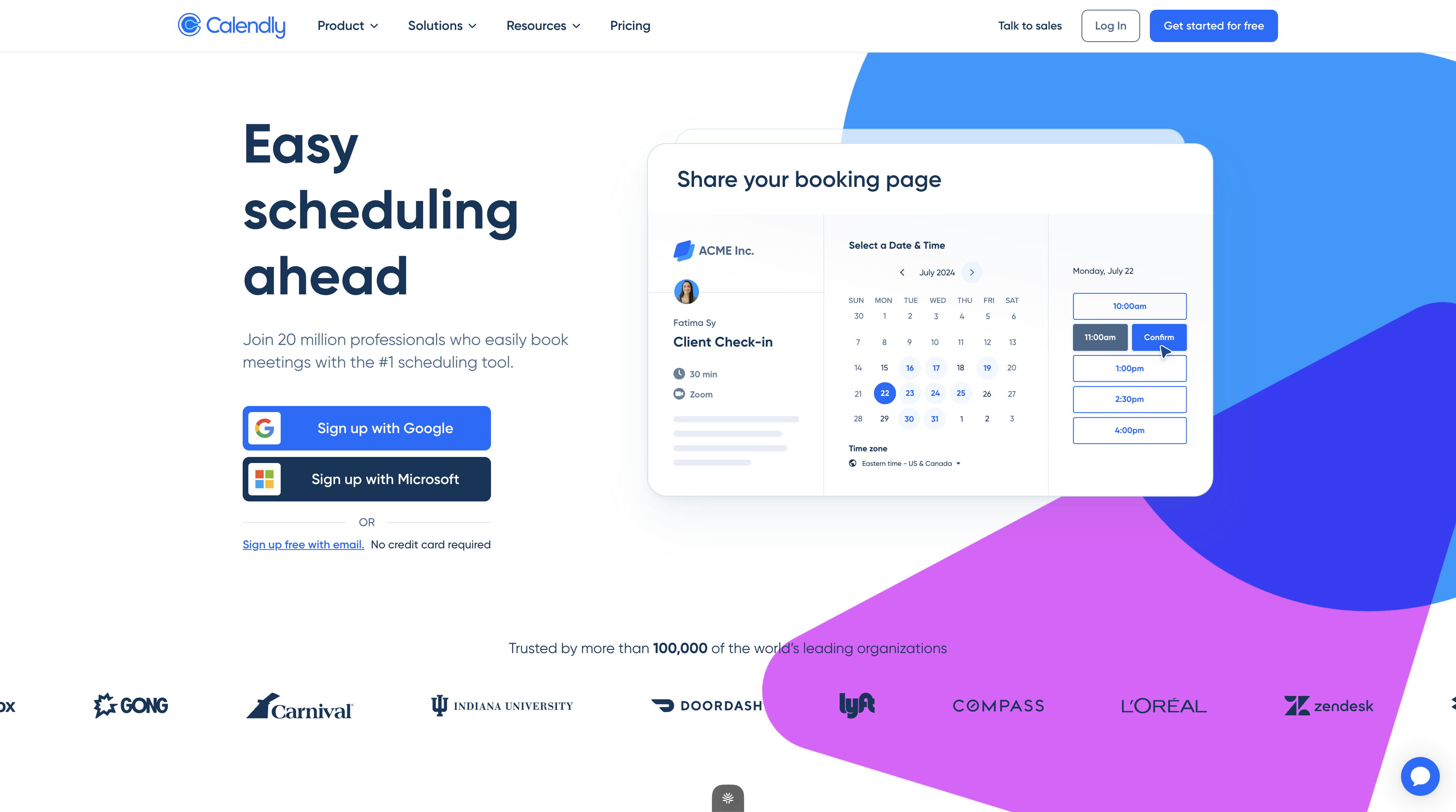
Calendly models scheduling as a calendar problem. You define available time slots, connect your calendar, and share a link. Invitees pick a slot. Calendly blocks your calendar and sends confirmations. It works perfectly for consultations, sales calls, and one-on-one meetings.
Opencals models scheduling as an operational inventory problem. Instead of just calendar slots, it calculates availability from staff availability, location hours, service duration, capacity limits, resource allocation, and business rules. A yoga class with 20 spots taught by one instructor at a specific location has several variables that affect availability. Opencals computes all of them in real time.
That difference drives the rest of this comparison: feature sets, pricing, scalability, and who each platform serves best.
Pricing comparison
Calendly's tiered subscription model:
- Free plan: One event type, basic features, limited integrations
- Standard: ~$10 per user/month (annual billing), unlimited event types, automation
- Teams: ~$16 per user/month, collaborative features, round-robin routing
- Enterprise: Custom pricing, typically $15,000+ annually
Calendly charges per user. If you have five team members, you pay for five subscriptions. As your team grows, costs compound.
Opencals' usage-based and scalable model:
- Pay-as-you-grow: ~$1 per completed booking, full platform access, no user limits
- Fixed monthly plans: $99–$500+ depending on locations, staff, and booking volume
- No per-user licensing—unlimited team members on any plan
For businesses with high transaction volumes or multiple staff members, Opencals' model is significantly cheaper. A team of three using Calendly Standard costs ~$30/month minimum. With Opencals, you might pay $1.50 per booking. At 30 bookings/month, that's $45. But Opencals includes operations management, payments, and customer records—features that would require separate tools with Calendly.
Tip
| Aspect | Calendly | Opencals |
|---|---|---|
| Pricing model | Per-user subscription | Usage-based + fixed plans |
| Setup cost | Low | Included in usage |
| Scalability | Linear per user | Increases with bookings/locations |
| Payment processing | Stripe/PayPal add-on | Built-in, full lifecycle |
Core features and capabilities
Calendly's strengths:
- Simple, intuitive interface for meeting scheduling
- Strong calendar integrations (Google, Outlook, iCal)
- Video meeting integration (Zoom, Google Meet, Teams)
- Form collection and custom questions
- Round-robin meeting distribution
- Extensive third-party integrations (600+ via Zapier)
- Mobile apps and browser extensions
Calendly excels at getting a meeting scheduled quickly. The user experience is frictionless. You create an event type, set your availability, share a link, and you're done.
Opencals' strengths:
- Dynamic availability based on staff, locations, services, and capacity
- Multi-location and multi-staff management from one dashboard
- Service-level customization (duration, capacity, resources, pricing)
- Integrated payment processing, orders, and refunds
- Customer self-service portal with booking history
- Staff scheduling with breaks, time-off, and permissions
- Group bookings and multi-attendee services
- Recurring appointments and session series
- AI-powered setup wizard
- Custom branding and white-label options
Opencals is built to manage operational complexity. If your business has locations, staff members, different service types, or pricing variations, Opencals handles it natively. Calendly would require custom integrations or manual workarounds.
Which industries fit each platform
Calendly is ideal for:
- Freelance consultants (therapists, coaches, advisors)
- Sales teams coordinating demos and calls
- Recruiters managing interview schedules
- Support teams handling one-on-one sessions
- Agencies coordinating client calls
- Educational institutions with office hours or mentorship
Opencals is ideal for:
- Beauty and wellness (salons, spas, fitness studios)
- Classes and courses (online or in-person)
- Medical practices and health services
- Professional services with multiple staff or locations
- Rental businesses (equipment, vehicles, spaces)
- Tours and activities with group capacity
- Hotels and accommodation with multi-day bookings
- Events and venue management
The distinction matters. Calendly works for any business where the primary need is "get people together." Opencals works for businesses where the primary need is "manage service delivery, staff, locations, and payments."
Note
Booking management and customer experience
Calendly provides a simple booking flow: customer picks a time, enters their name and email, confirms. Done. The experience is clean and familiar to anyone who's used a scheduling tool.
Opencals also provides a clean booking flow, but with more flexibility. Customers can:
- Select from multiple services at different price points
- Choose staff preferences if available
- Book for multiple attendees (group bookings)
- Reschedule or cancel their own appointments
- View booking history and upcoming appointments
- Receive SMS or email reminders
For customers booking a one-off meeting with a consultant, both platforms feel nearly identical. For customers booking a recurring yoga class or renting equipment, Opencals provides the operational features the business needs.
Integrations and automation
Calendly integrations:
- Native: Google Calendar, Outlook, iCal, Zoom, Google Meet, Microsoft Teams
- Via Zapier: 600+ third-party apps including CRM, email, project management
- Payment: Stripe, PayPal (limited payment options)
- API: Available for custom integrations, but primarily focused on scheduling events
Calendly's approach is to work with external tools. You schedule a meeting in Calendly, then use Zapier to send that booking to your CRM, email platform, or other systems.
Opencals integrations:
- Shopify: Appointment-based products and storefront booking
- Calendar: Google Calendar, Outlook, iCal (for pulling staff availability)
- Video meetings: Zoom, Google Meet (meeting links auto-generated)
- Payments: Stripe, PayPal, custom processors
- API: Full-featured REST API for custom integrations
- White-label: Deploy as your own branded platform
Opencals treats booking data as structured operational information, not just calendar events. Integrations can access and act on staff assignments, service configurations, payment status, and customer records.
Pros
- Calendly: Industry-standard integrations
- Calendly: Extensive Zapier library
- Opencals: Payment and order management built-in
- Opencals: Shopify integration for product bookings
- Opencals: Full API for advanced customization
Cons
- Calendly: Limited native integrations beyond calendar
- Calendly: Requires external tools for operations
- Opencals: Fewer pre-built third-party integrations than Zapier
- Opencals: Steeper learning curve for complex setups
Customization and branding
Calendly allows:
- Custom event type names and descriptions
- Branded booking page colors and logo
- Custom confirmation emails
- Form field customization
Opencals allows:
- Complete visual customization (colors, fonts, imagery)
- Custom domains for booking storefronts
- White-label deployment under your own brand
- Conditional logic in forms and booking flows
- Custom service configurations and pricing rules
- Staff-level customization (who can book which services)
If you're a solo consultant, Calendly's branding options are enough. If you're an agency managing bookings for multiple clients, or a service business that needs a polished booking experience, Opencals' white-label capabilities are significantly more powerful.
Multi-location and team management
Calendly team features:
- Team scheduling with round-robin distribution
- Shared calendars and group events
- Team member admin controls
- Basic permission management
Calendly assumes a team is a group of people doing similar work (sales reps, recruiters, consultants). It distributes meetings fairly among available team members.
Opencals multi-location and team features:
- Unlimited locations with independent schedules
- Unlimited staff per location
- Staff-specific availability, services, and pricing
- Permission levels (admin, manager, staff)
- Location-level operations management
- Staff calendar integration for personal availability
- Break and time-off management
- Capacity allocation across locations and staff
A dental practice with three locations and eight staff members would use Opencals to model each dentist's schedule at each location, manage waiting rooms, allocate hygienists, and track service capacity. Calendly would require manual routing or custom integrations.
Scalability considerations
Calendly scales:
- Better as you add team members (up to a point)
- Worse as booking complexity increases
- Not designed for multi-location or multi-service scenarios
- Works well for 1:1 and small-team meeting coordination
Opencals scales:
- Better as you add locations, staff, and services
- Designed for operational complexity
- Handles 100+ bookings per day across multiple staff and locations
- Pricing scales with operational complexity, not artificial seat limits
For a solo consultant, Calendly's $10/month feels cheap. For a five-person team each paying $10/month, that's $50/month minimum, plus integration tools. For a 20-location franchise, Opencals' model is dramatically more cost-effective.
Typical use cases where each platform shines
Calendly wins:
- Freelance consultant with one event type ("30-minute consultation")
- Sales team coordinating call schedules
- Recruiter managing interview slots
- Support team with office hours
- Non-profit coordinating volunteer schedules
Opencals wins:
- Yoga studio with multiple classes across multiple instructors and rooms
- Dental practice with multiple dentists, hygienists, and locations
- Beauty salon with different service types, pricing, and stylists
- Fitness franchise with recurring class bookings across locations
- Medical practice with appointment types, intake forms, and payments
- Rental business with multi-day reservations and resource allocation
- Tour operator with group capacity and guide scheduling
If your booking problem is "how do I get people on my calendar," Calendly is the right tool. If it's "how do I manage staff, services, locations, and payments," Opencals is.
AI-powered setup
Opencals' AI wizard configures your entire booking system in minutes using natural language, not manual form-filling. Calendly requires you to create event types and settings manually.
When you might outgrow Calendly
Calendly is excellent software, but it has architectural limits:
-
Multiple service types with different rules. Calendly assumes all your meetings are similar. If you need different duration rules, pricing, or staff assignments per service, you're building workarounds.
-
Capacity and group bookings. Calendly doesn't natively handle "this yoga class has 20 spots." You'd manually manage a waitlist or use a separate tool.
-
Multi-location operations. Calendly is built for individuals or small teams in one location. Managing 10 locations with independent staff requires custom integrations.
-
Integrated payments and operations. Calendly connects to payment processors, but your booking, payment, and operational data live in separate systems. That means manual reconciliation and operational friction.
-
Service-based pricing models. If different customers pay different rates based on service type, staff, or timing, Calendly requires custom logic. Opencals handles it natively.
When Calendly remains the better choice
Calendly is still the right choice if:
- You primarily coordinate one-off meetings or calls
- You have minimal operational complexity
- You value simplicity and ease of use over feature depth
- You're a solo operator or small team with similar work patterns
- Your customers expect a simple, familiar booking experience
Calendly's strength isn't feature breadth—it's focused simplicity. If you don't need Opencals' operational features, Calendly's lightness is an advantage.
Flexible scheduling across staff and locations
Learn how Opencals handles dynamic availability calculation
Multi-location business management
Manage schedules and operations across unlimited locations
Get started
Ready to transform your service business?
Join 150+ businesses already using Opencals. Start on a free development store with every feature unlocked, and only pay once you go live.