

Live demo
template-frisor-sage.vercel.app
Source code
letsopencals/template-frisor (MIT)
Deploy to Vercel
One-click deploy
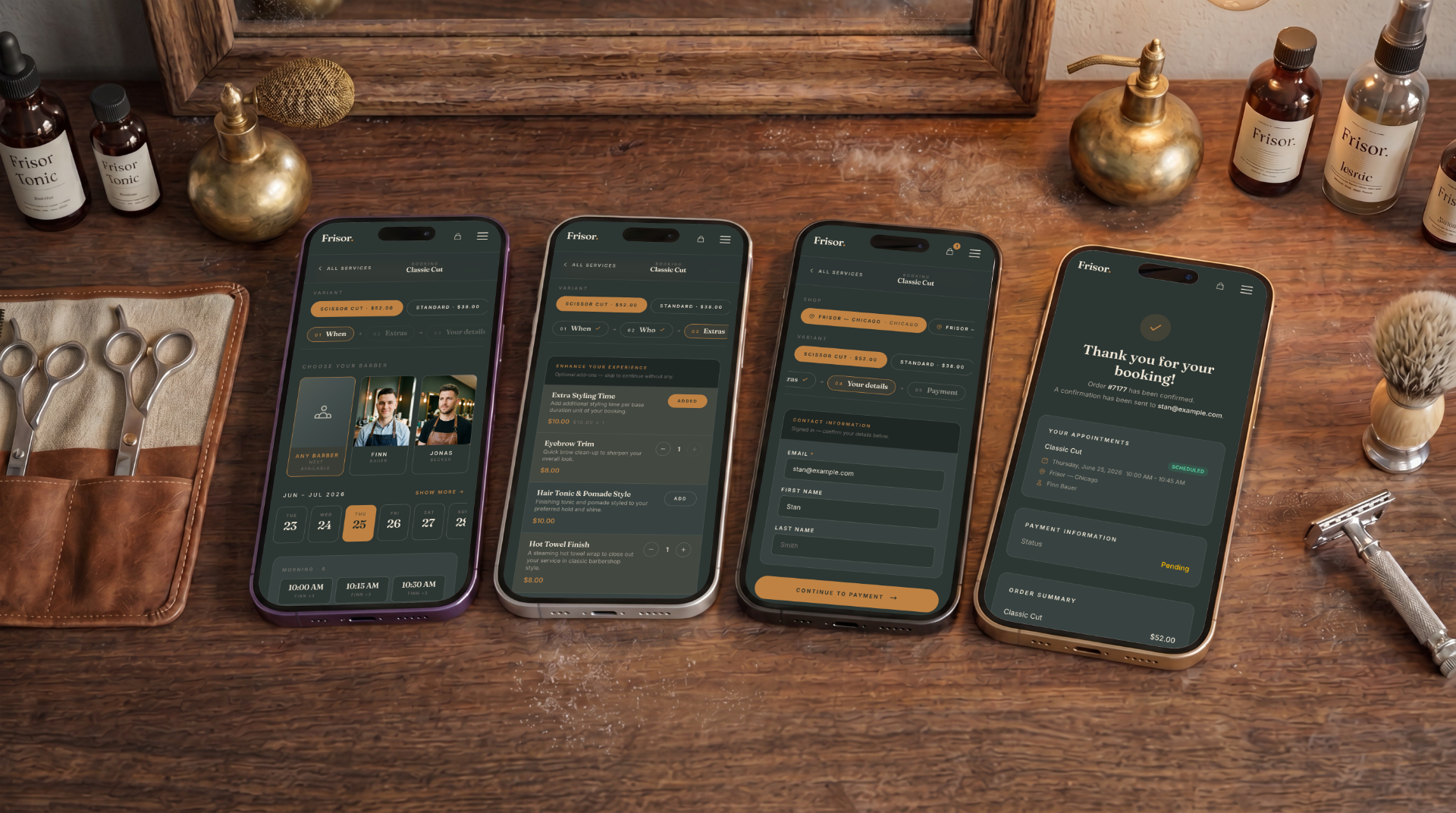
Frisor — the booking flow, on mobile and desktop
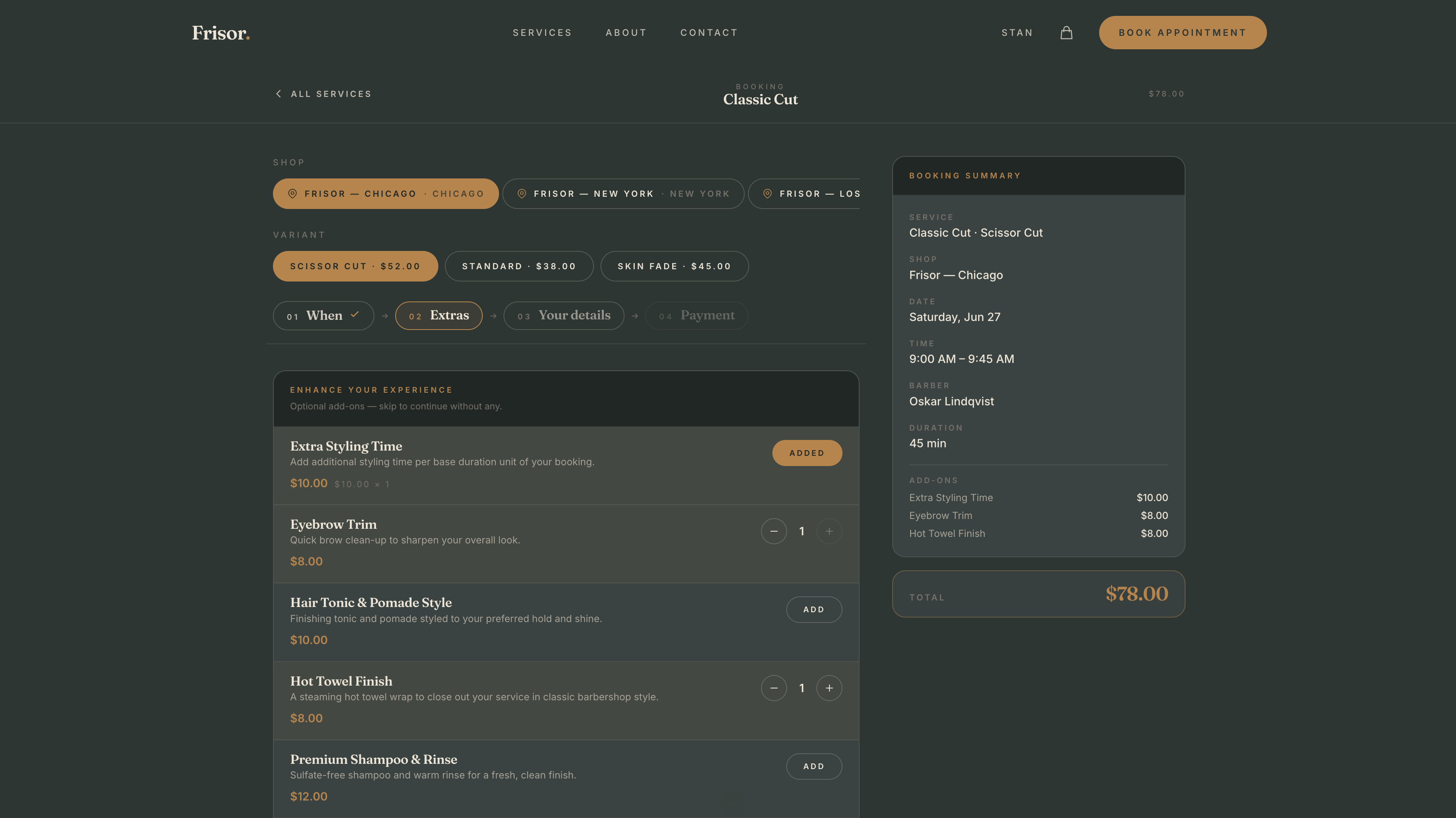
Booking flow with add-ons and live summary
What’s inside
Get started
1
Clone and install
2
Add your API key
Create a store in the Opencals dashboard, grab a
Storefront API key (see Authentication), and set it in
.env.local.3
Run it
4
Deploy
Push to your own repo and
deploy to Vercel,
or host anywhere Next.js runs.
Make it yours
The template is MIT-licensed: rebrand it, restructure it, or use it as a starting point for client work. Every colour and font is a CSS variable — the deep-green-and-gold palette and the Fraunces display font are defined in one@theme block. Agencies can run one codebase against multiple stores — each
deployment just points at a different API key. To go deeper than theming,
follow the booking page tutorial to understand
the API calls behind each screen.