

Live demo
template-volt.vercel.app
Source code
letsopencals/template-volt (MIT)
Deploy to Vercel
One-click deploy
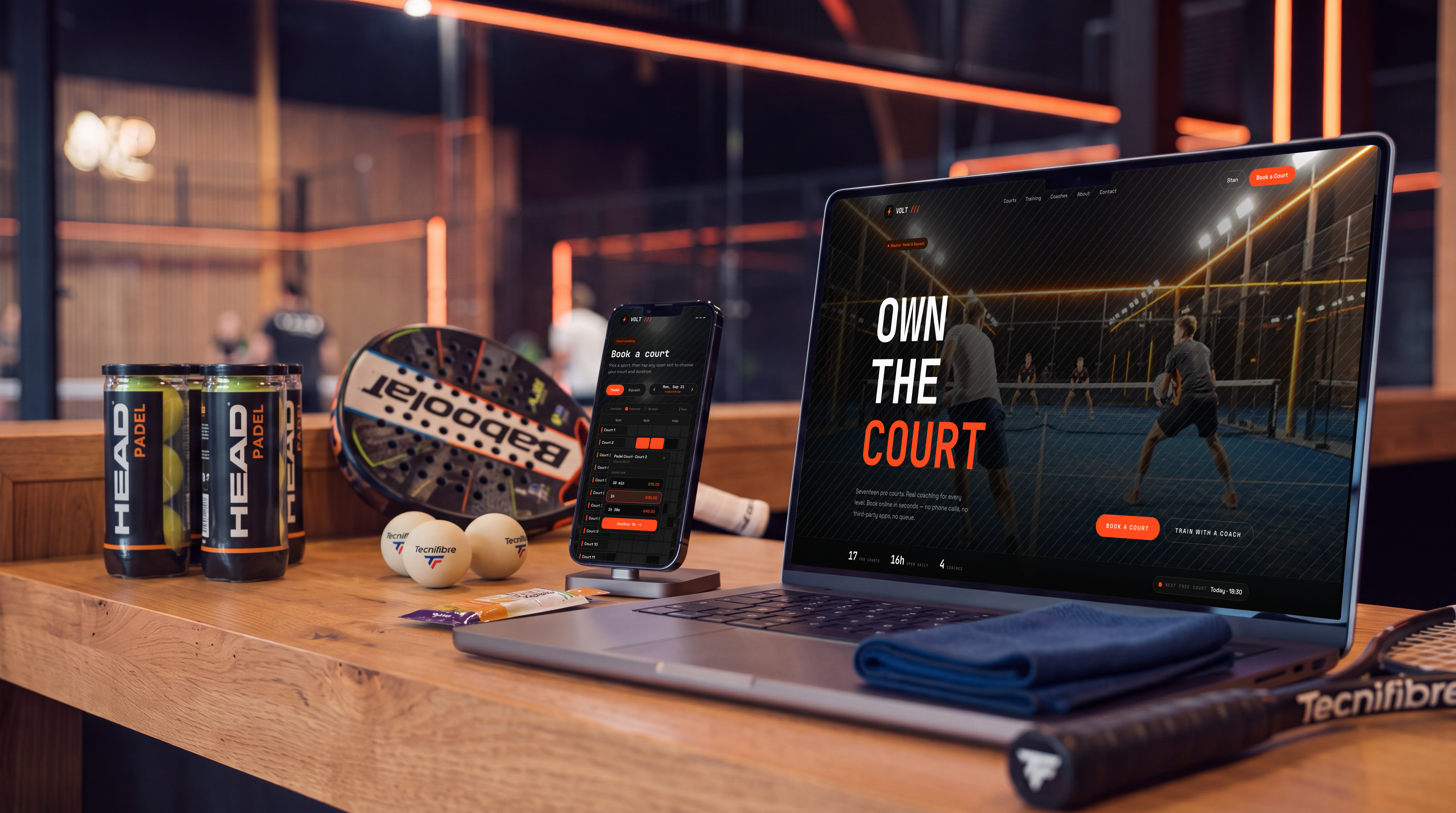
VOLT — the storefront and booking flow, on desktop and mobile
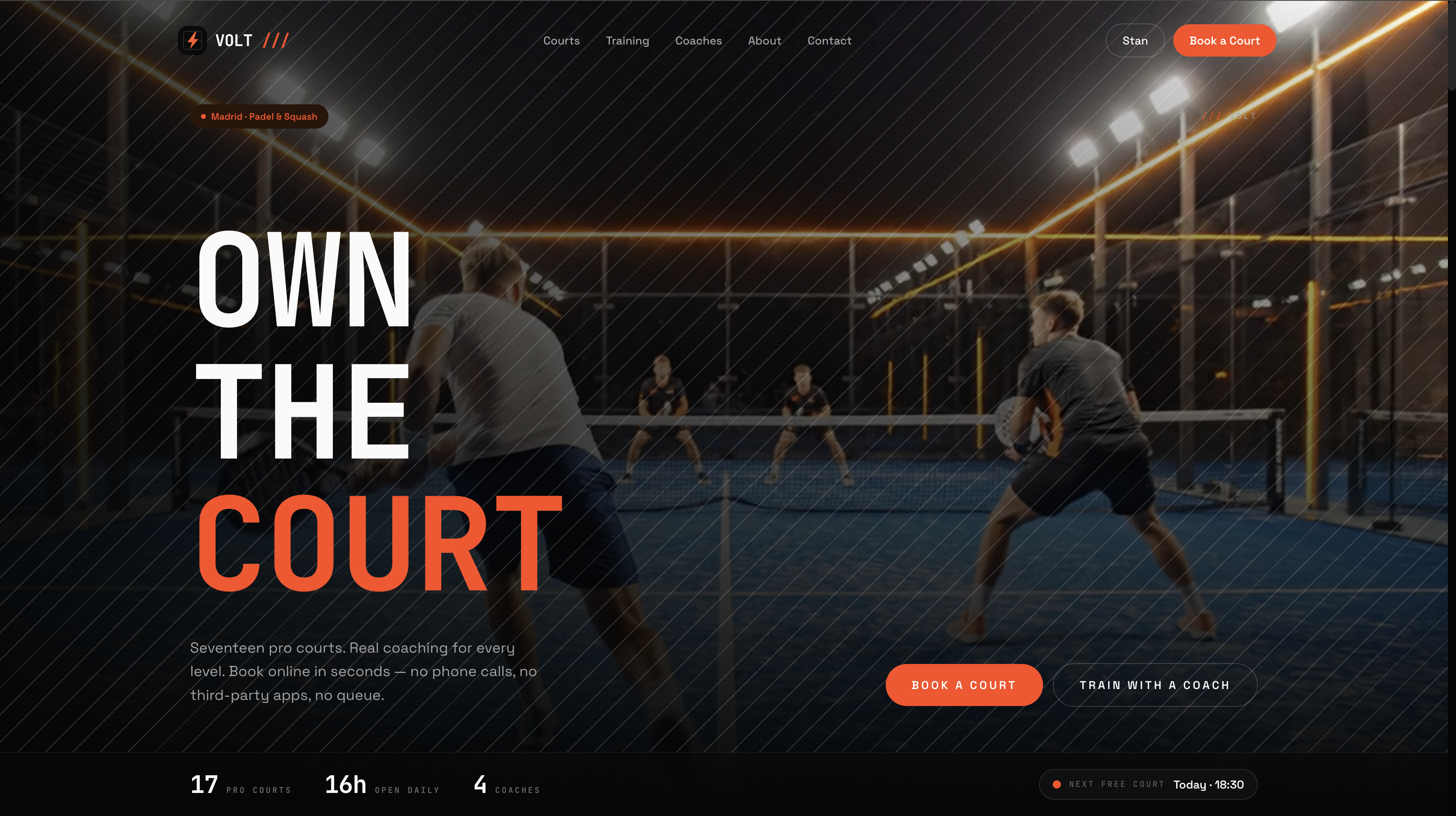
Homepage hero — full-bleed, sport-first, with a live next-free-court chip
The court booking grid
The centrepiece. One grid shows every court and every open slot for a day at once — courts down the rows, time across the columns — with a Padel / Squash toggle that changes which courts fill the grid. Each court is its own resource, so booking one leaves every other court free.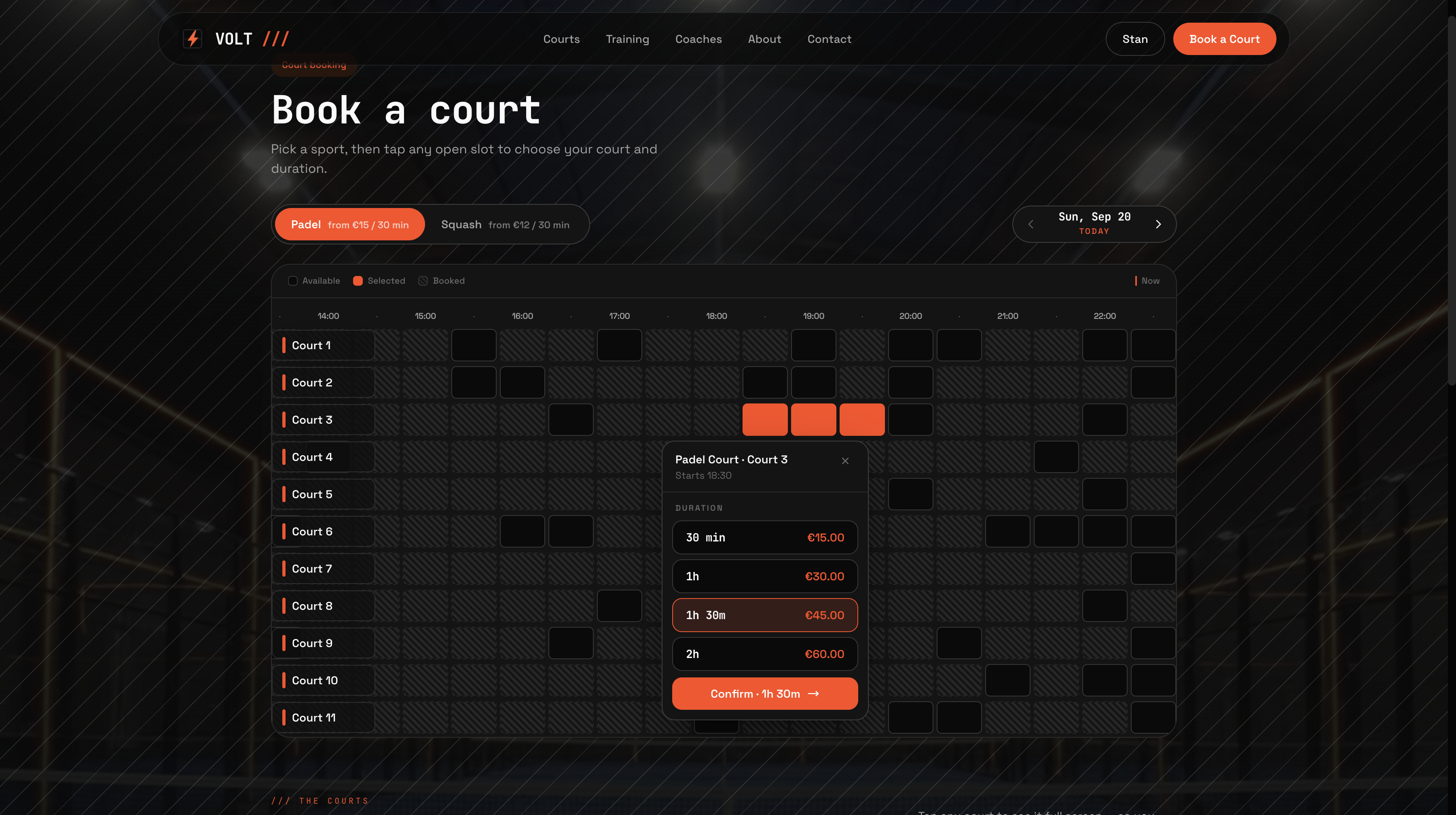
Book a court — every court and open slot on one grid, with a live-priced duration popover
use-court-grid hook rather than in the page,
which is the first place to look if you price peak hours differently or cap
rental length.
Coach-led training
A separate flow over the same store, for lessons and classes. Filter the catalog by sport, level (Starter → Advanced) and format (1-on-1 or group), pick a coach — or “Any coach — next available”, which leads the picker — then a date and time. Group classes show live “N left” capacity and disappear when they fill.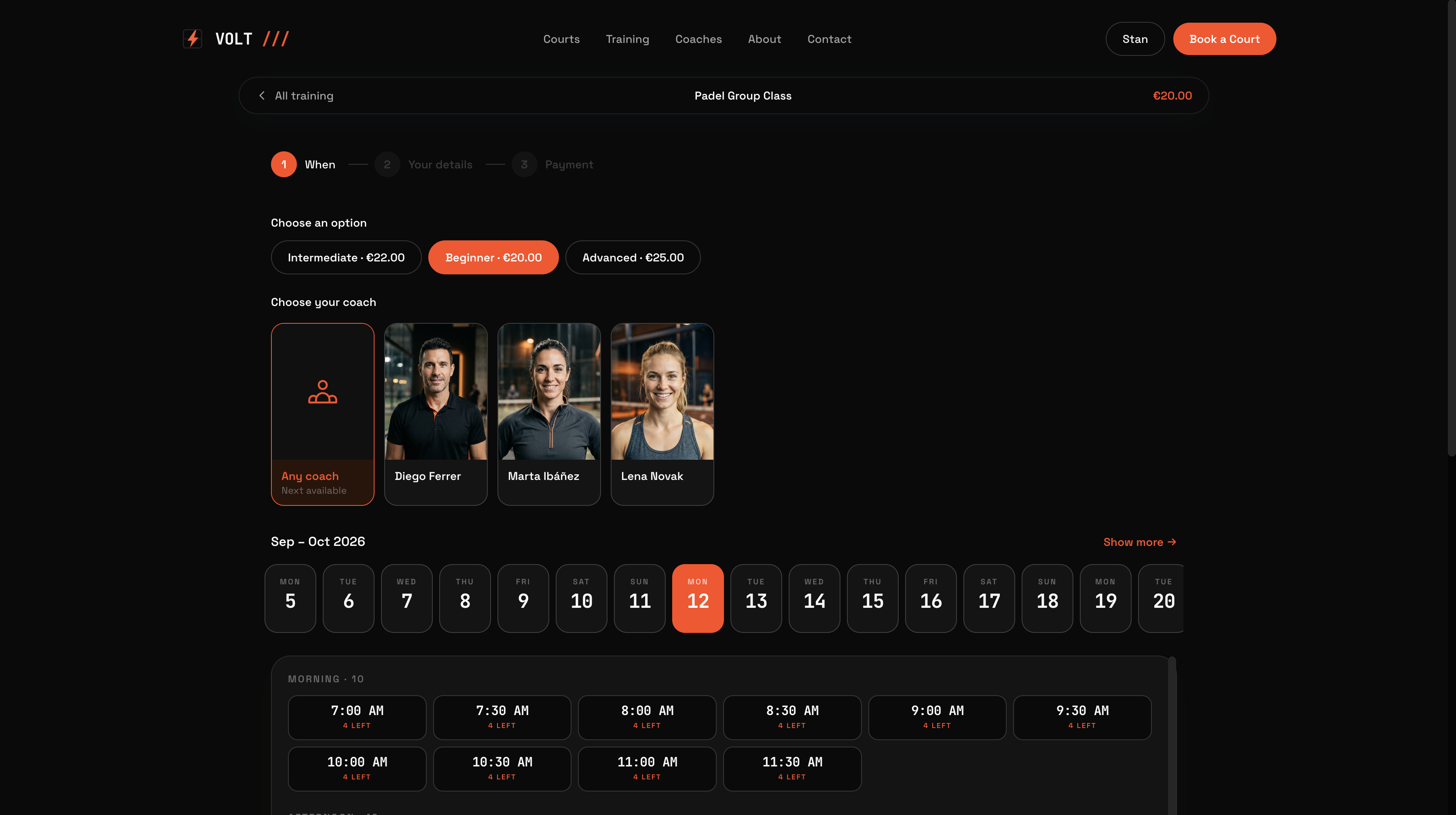
Training booking — level, coach, date and time, with live remaining capacity
Two resource models, one store
This is the part worth copying even if you never ship VOLT itself.
Orders and appointment detail read naturally either way, so nothing downstream
has to decode a court that was faked as a staff member.
What’s inside
Get started
1
Clone and install
2
Add your API key
Create a store in the Opencals dashboard — choose the
VOLT Padel & Squash dataset preset to seed the club’s courts, coaches,
training classes, add-ons and venue — then grab a Storefront API key (see
Authentication) and set
OPENCALS_API_KEY and
AUTH_SECRET in .env.3
Run it
4
Deploy
Push to your own repo and
deploy to Vercel,
or host anywhere Next.js runs.
Set Storefront Base URL in your dashboard (Settings → API) to your
deployed domain. Every customer link — view, reschedule, cancel, leave
feedback — is built as
{storefrontBaseUrl}/link/{token}, so if it still
points at localhost those emailed links go nowhere.Make it yours
MIT-licensed: rebrand it, restructure it, or use it as a starting point for client work. All club-specific copy lives inlib/site-config.ts — club name,
the two sports and their price hints, hero, coaches, gallery, stats,
testimonials, FAQs, address and hours. Every colour and font is a Tailwind v4
@theme token in app/globals.css, so components keep working when you change
values: