

Europe/Dublin) with houses at Grand Canal Dock,
Smithfield, Portobello and Dún Laoghaire in Dublin, Shandon in Cork and the
Spanish Arch in Galway: 77 bookable spaces and 16 extras. The design is an
architect’s drawing set: every section is a numbered sheet, summaries are title
blocks, booking lengths are dimension lines and booked time is hatched, in
cobalt with a marigold highlighter.
Live demo
template-gable.vercel.app
Source code
letsopencals/template-gable (MIT)
Deploy to Vercel
One-click deploy
Build it with AI
build-booking-site skill
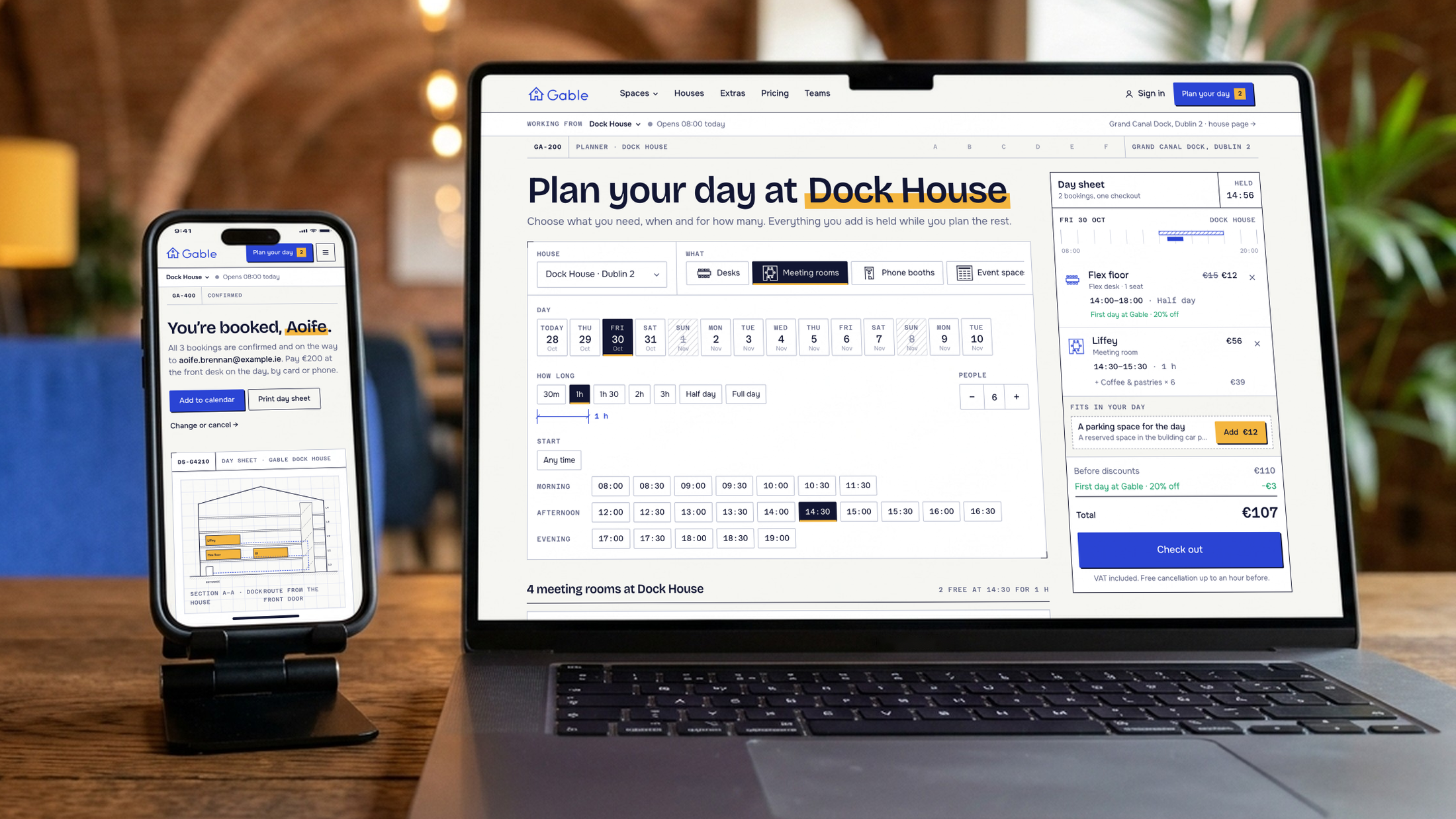
Gable — the planner with a day sheet on desktop, the day sheet drawer on mobile
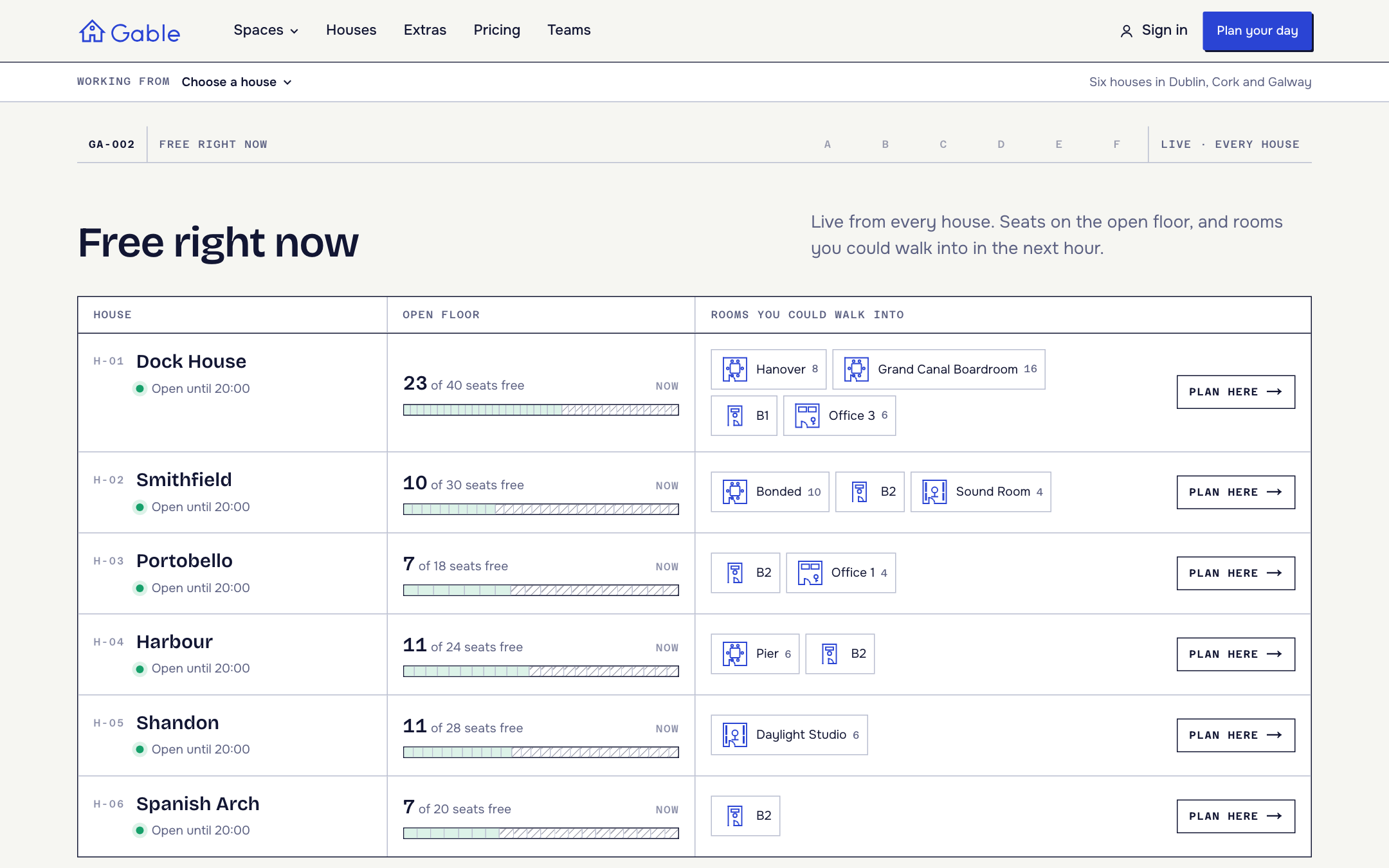
Free right now — seats left on every open floor and the rooms you could walk into in the next hour
The planner
A search, not a wizard. Pick a house, a day, how long (dimension-line chips: 30 minutes to a full day for rooms, a half or full day for desks), a start time and how many people. The results are the spaces that fit, each with its photo, seats, kit, the price for that span, a day bar with the booked time hatched, and “Free at 10:00”, “Next free 14:30” or “23 seats free”. Choose one, pick a time and its extras, and add it to the day. Everything is in the URL, so a search from the homepage or a space page lands exactly there.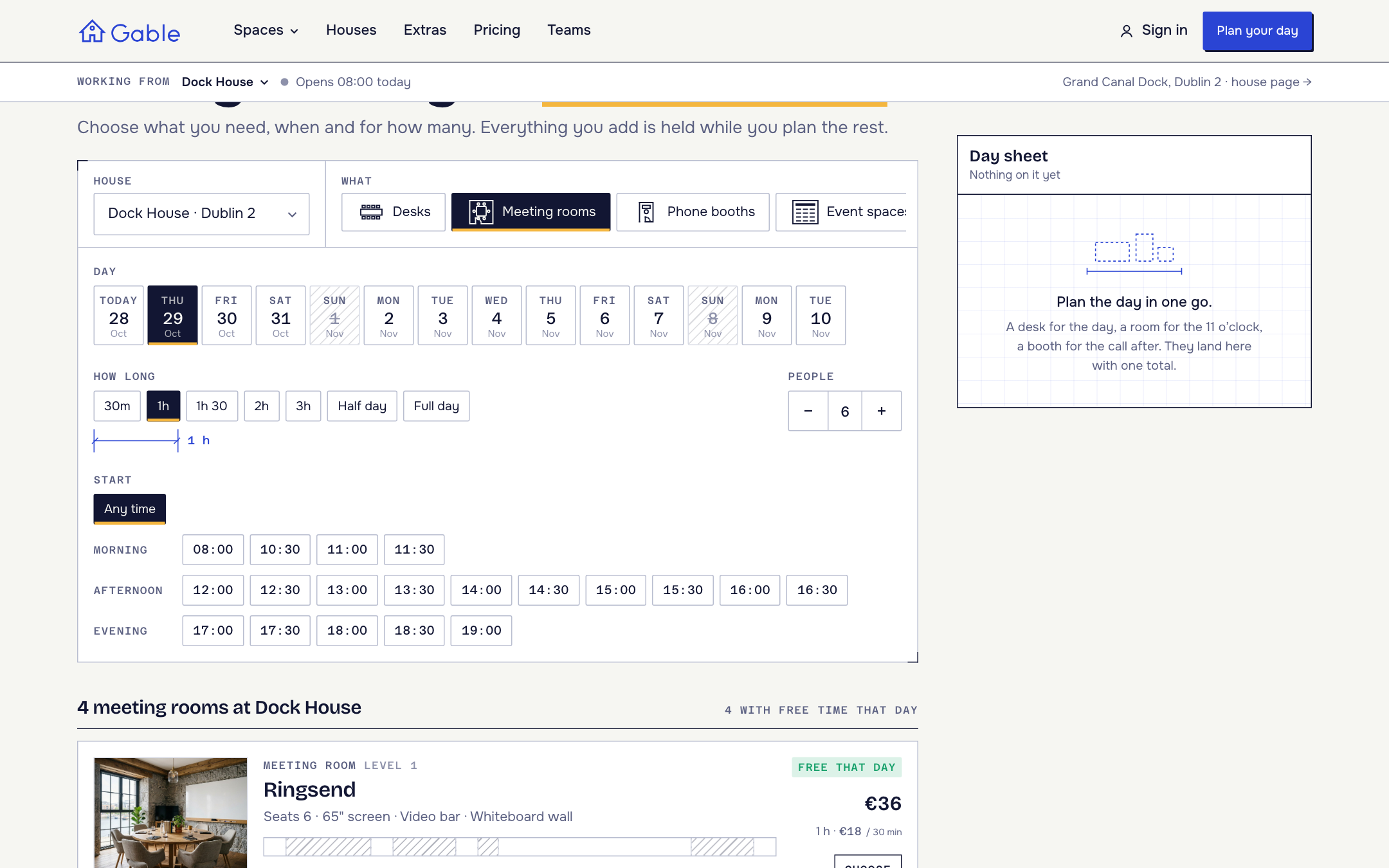
The planner — meeting rooms at Dock House for six people
The day sheet
The cart is a timeline of the day: every booking is a block between 08:00 and 20:00, with its extras, discounts, the hold timer, the total and Check out always in view. A desk, a room for the 11 o’clock and a booth for the call after go through one checkout. Under Fits in your day it suggests what the day is missing: a desk around your meetings, a booth in the gap between two meetings, lunch or coffee for the people in the room, a bigger room that’s free at the same time, or parking.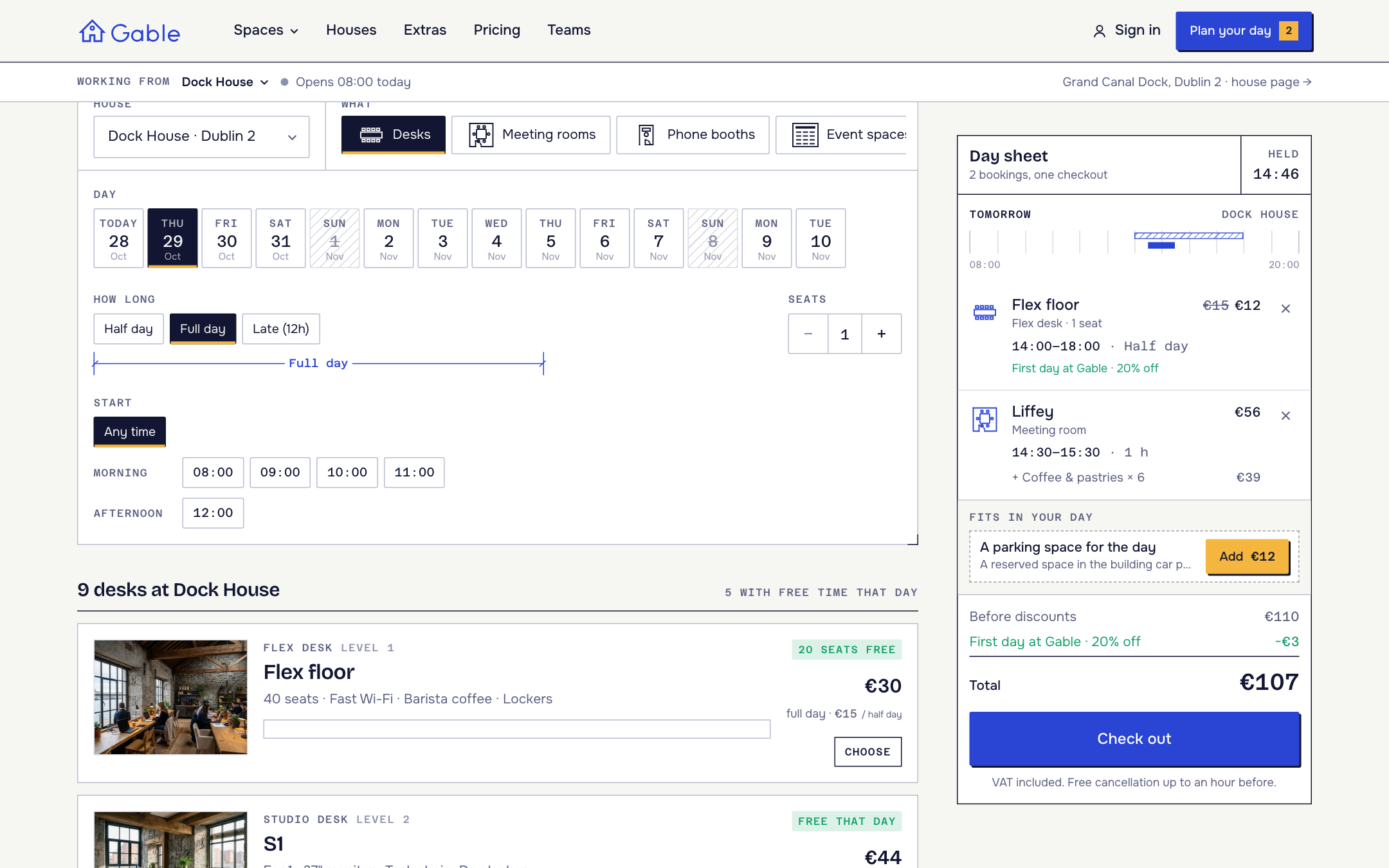
The day sheet — a room and a flex desk, the first-day discount, and a parking suggestion
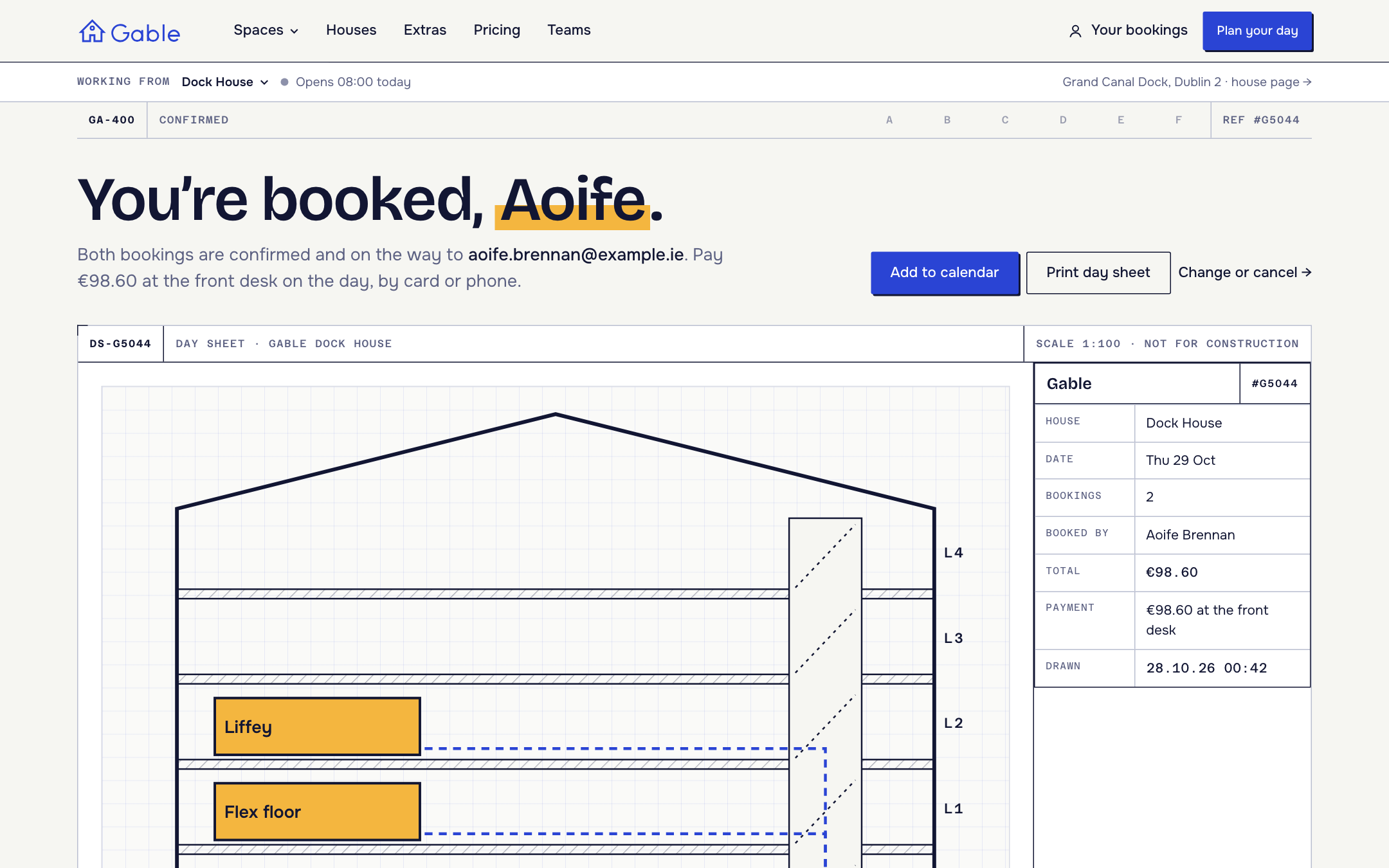
The confirmation — a day sheet printout with a section through the house and the route from the front door
The workspace model
This is the part worth copying even if you never ship Gable itself. It uses existing Opencals features only.What’s inside
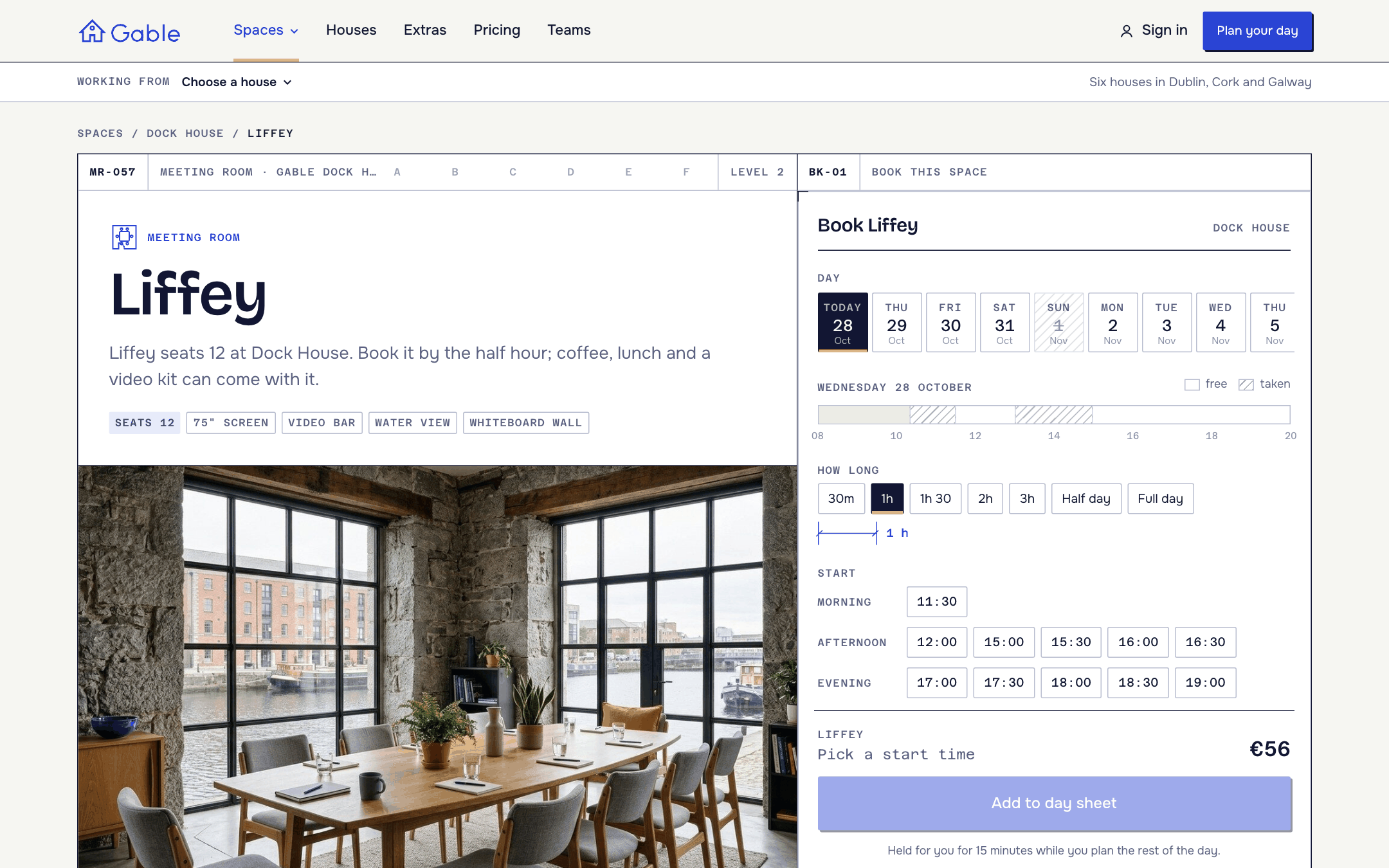
A space — Liffey's data sheet and the booking panel
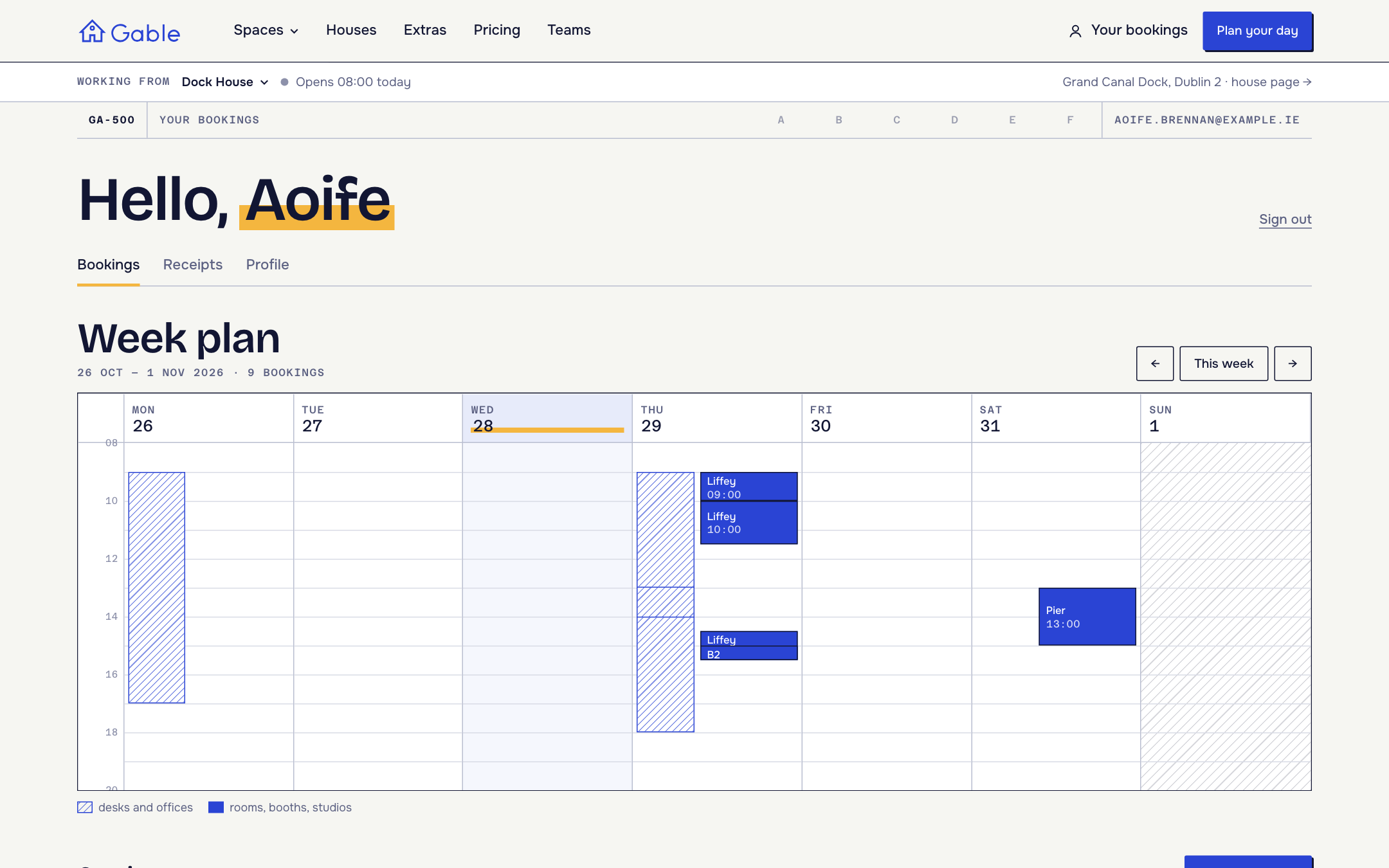
Week plan — the account opens on the week, with every booking drawn to scale
Get started
1
Clone and install
2
Add your API key
Create a Dev Store in the Opencals dashboard with the
country set to Ireland (for EUR) and choose the Gable dataset
(
coworking). It seeds the six houses, 77 spaces, 16 extras, the checkout
questions, three discounts and sample bookings. Then grab a private
storefront key (spk_, see API keys) and set
OPENCALS_API_KEY and AUTH_SECRET in .env.local.3
Run it
4
Deploy
Push to your own repo and
deploy to Vercel,
or host anywhere Next.js runs.
Pages are server-rendered, so their API calls carry no browser
Origin.
Leave allowed origins empty on the key you give this template, or those
calls are rejected.Set Storefront Base URL in your dashboard (Settings → API) to your
deployed domain. Every customer link (view, reschedule, cancel, leave
feedback) is built as
{storefrontBaseUrl}/link/{token}.Make it yours
MIT-licensed: rebrand it, restructure it, or use it for client work. Workspace copy lives inlib/site-config.ts (the collection → kind mapping, house
photography and arrival notes, extras groups, teams, FAQ). Every colour and font
is a Tailwind v4 @theme token in app/globals.css, and DESIGN.md describes
the drawing-set system: