

America/New_York) with two sites: South Beach on
Collins Ave (Mirror Hall, the Rooftop, the beach and the Afterglow Bar) and
Wynwood (the Neon Room, the Ring, the Mural Floor, the Studio Wall and the
café). Ten coaches in three tiers and six crew (photographers, filmmakers and a
makeup artist). The promise is “You train. We shoot.” The design is a film
set in deco cream and golden-hour gradients: camera viewfinders, story rings,
contact sheets, call sheets and grease pencil.
Live demo
template-afterglow.vercel.app
Source code
letsopencals/template-afterglow (MIT)
Deploy to Vercel
One-click deploy
Build it with AI
build-booking-site skill
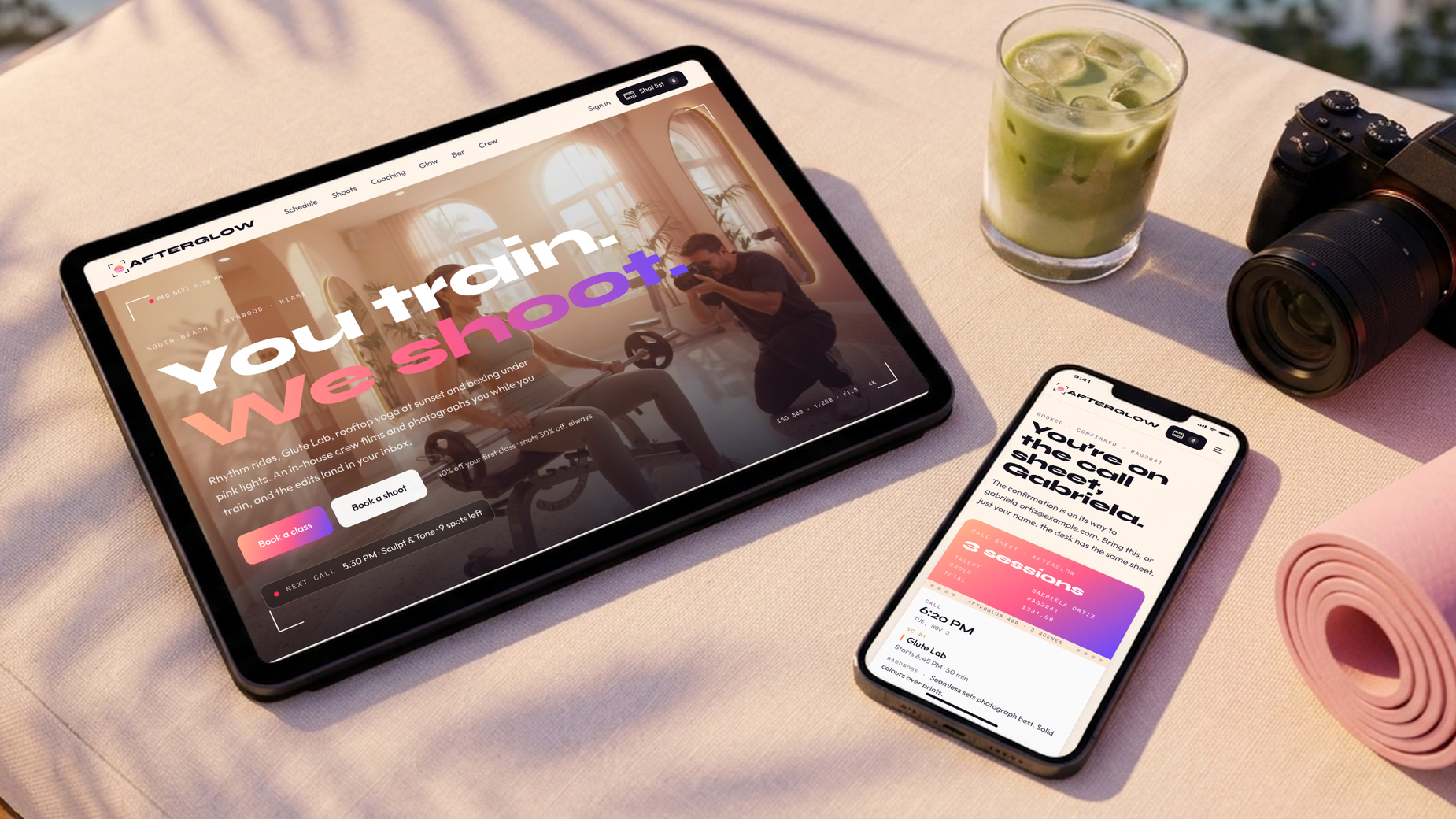
Afterglow: the homepage on a tablet, the call sheet on a phone
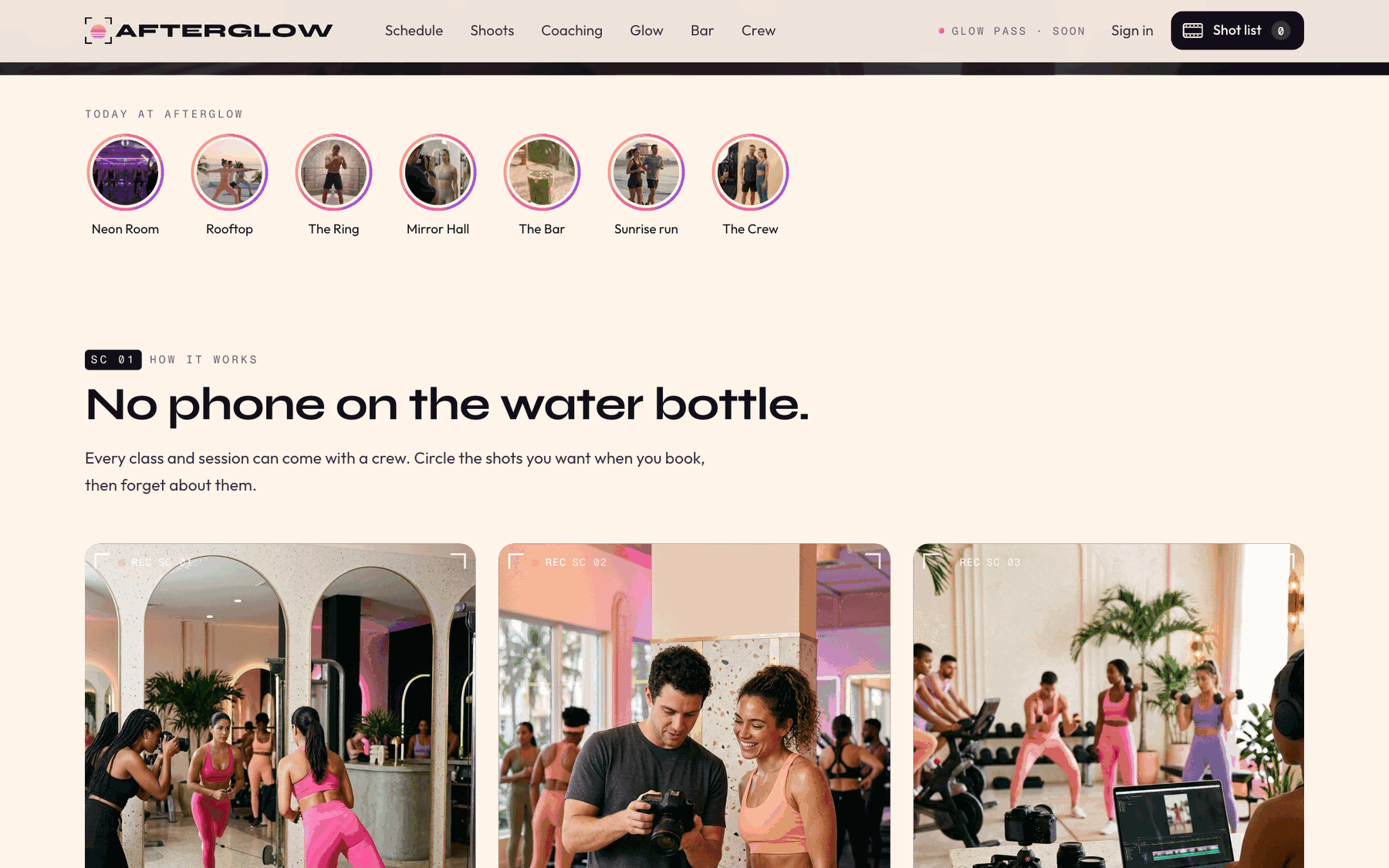
Story rings: today at Afterglow, each one opens a full-screen vertical story
The schedule
One day at a time. The day strip shows each date’s session count and that day’s sunset. Sessions are grouped by set (the room they run in), each under its photo, and every row shows the time, the class, the coach and spots left. Outdoor classes that overlap the real Miami sunrise or sunset hour get a golden-hour badge, worked out from the NOAA solar calculation inlib/sun.ts. Full classes are struck through and point to the next one with
space.
Tap a row and it opens in place: what the class is, what the crew shoots, the
four shot add-ons drawn as viewfinder frames you circle in grease pencil
(Class Clips, Photo Set, Slow-mo Reel, Raw Camera Roll), bar extras, the price
and Book. Filters cover the site, the class type, the coach and “golden
hour only”, and everything lives in the URL, so /schedule?s=<series>@<start>
opens a row directly.
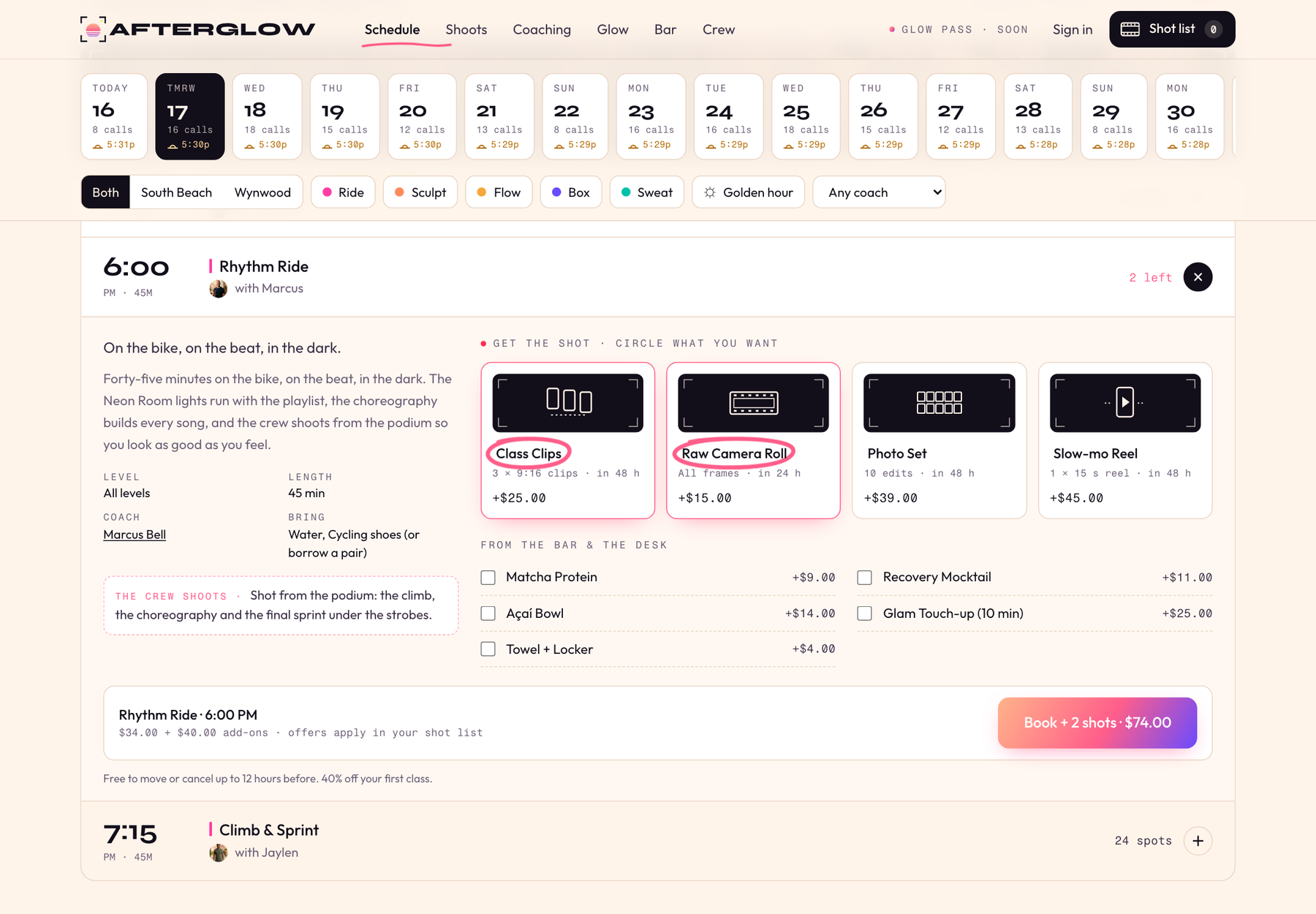
The schedule: a Rhythm Ride open in the Neon Room with two shots circled
Shoots, coaching, glow and the bar
Content sessions with the crew, physique coaching, recovery and glam, and bar tables all use one booker: pick the session, then the option, who (or anyone free), the site, the length (30, 60 or 90 minutes for coaching) or the party size, then a day and a start time. A draft call sheet fills in beside it as you choose. Free windows are read once per variant, person and site, and every day and start time is worked out in the browser.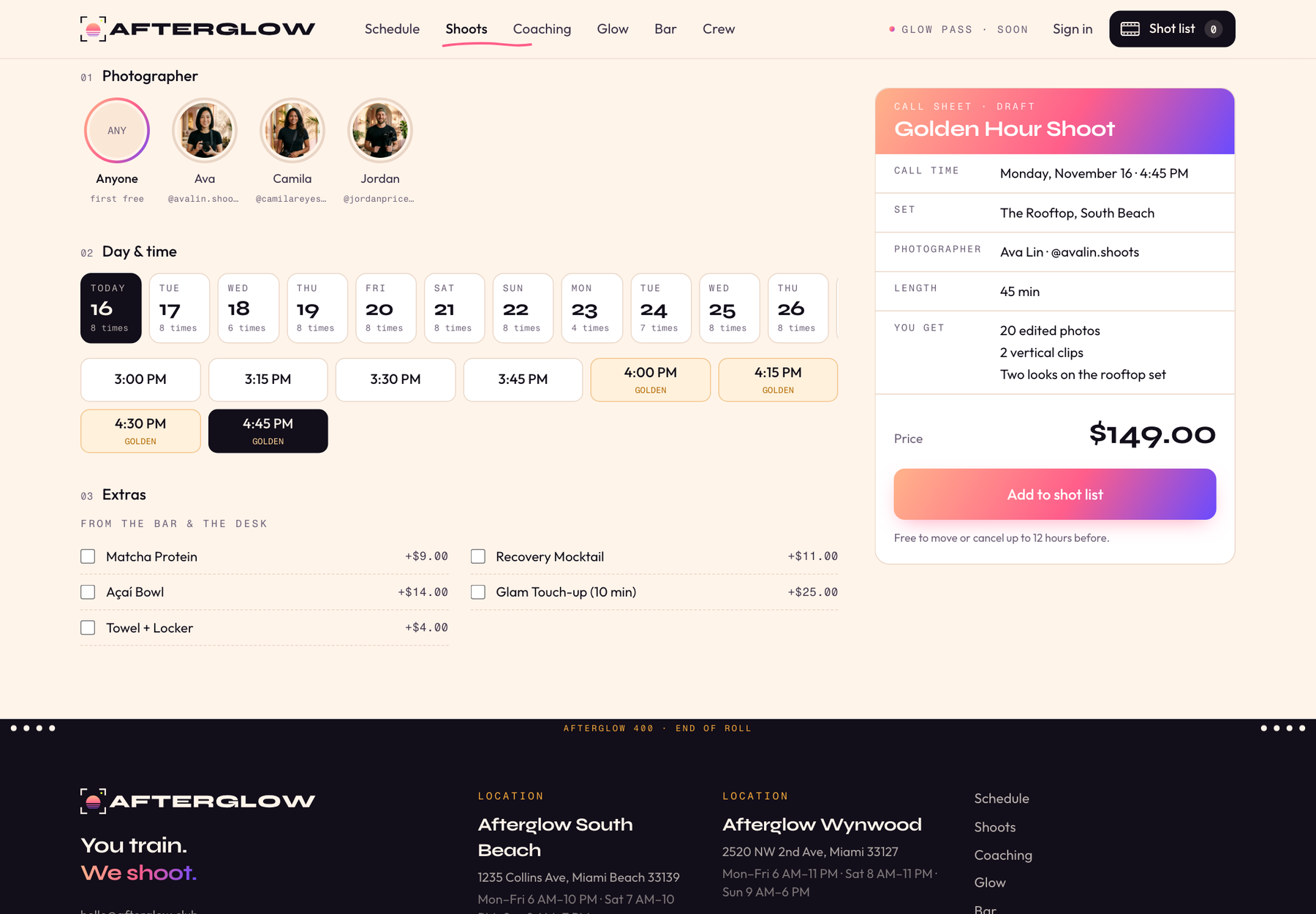
Shoots: the Golden Hour Shoot on the rooftop, with golden-hour start times and the draft call sheet
The Shot List, the release form and the call sheet
The cart is the Shot List, drawn as a contact sheet: one numbered frame per session with its shots circled. Totals and offers always come from the cart. Checkout is a release form: your details, the waiver, whether the crew may post you, your Instagram handle and your goal, signed once, then Stripe or pay at the desk. The confirmation is a call sheet with the call time, set, crew, wardrobe notes and the circled shots for each session, calendar links and a 9:16 story card you can download and post.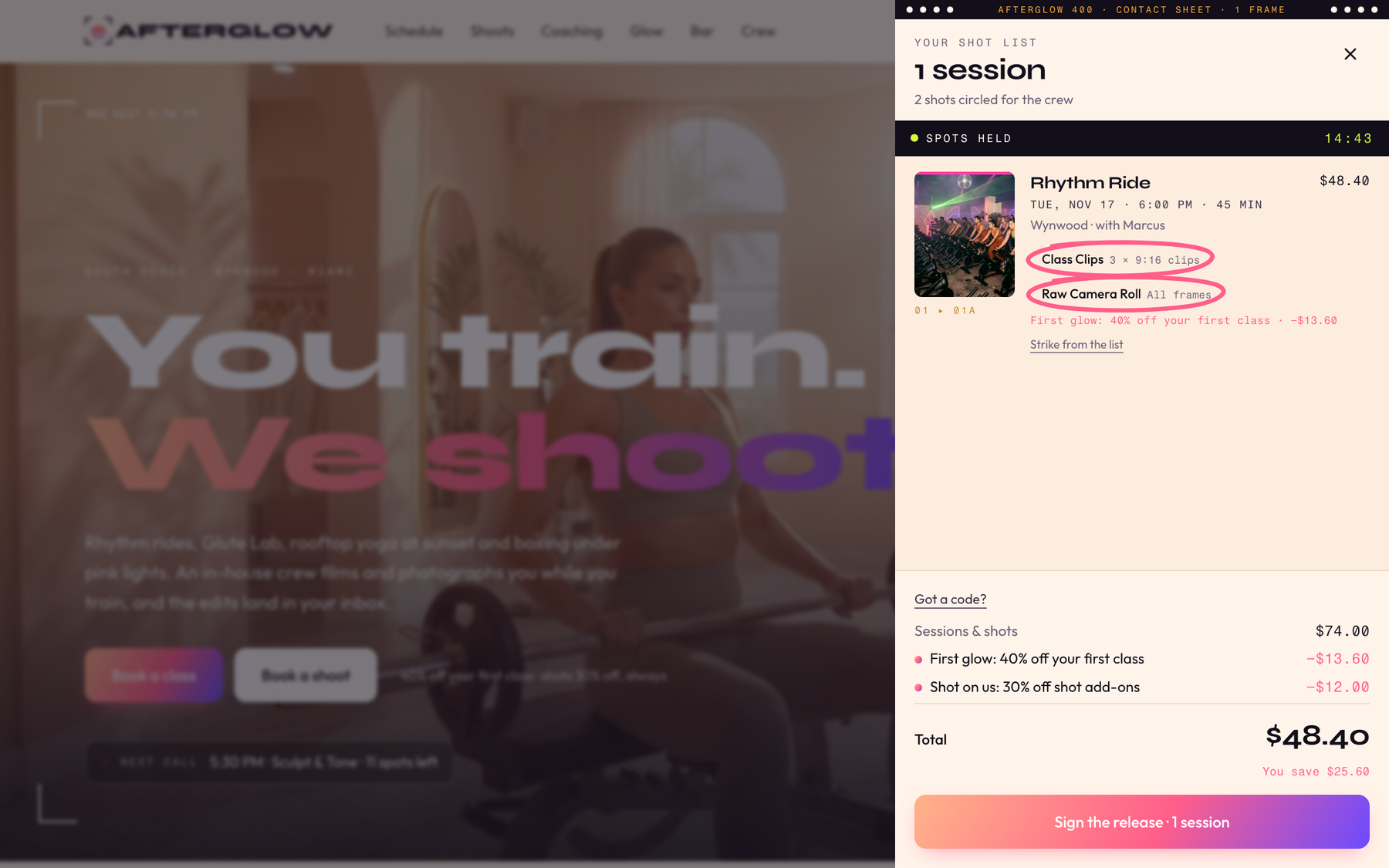
The Shot List: a class with two shots circled and a shoot, with First glow and Shot on us applied
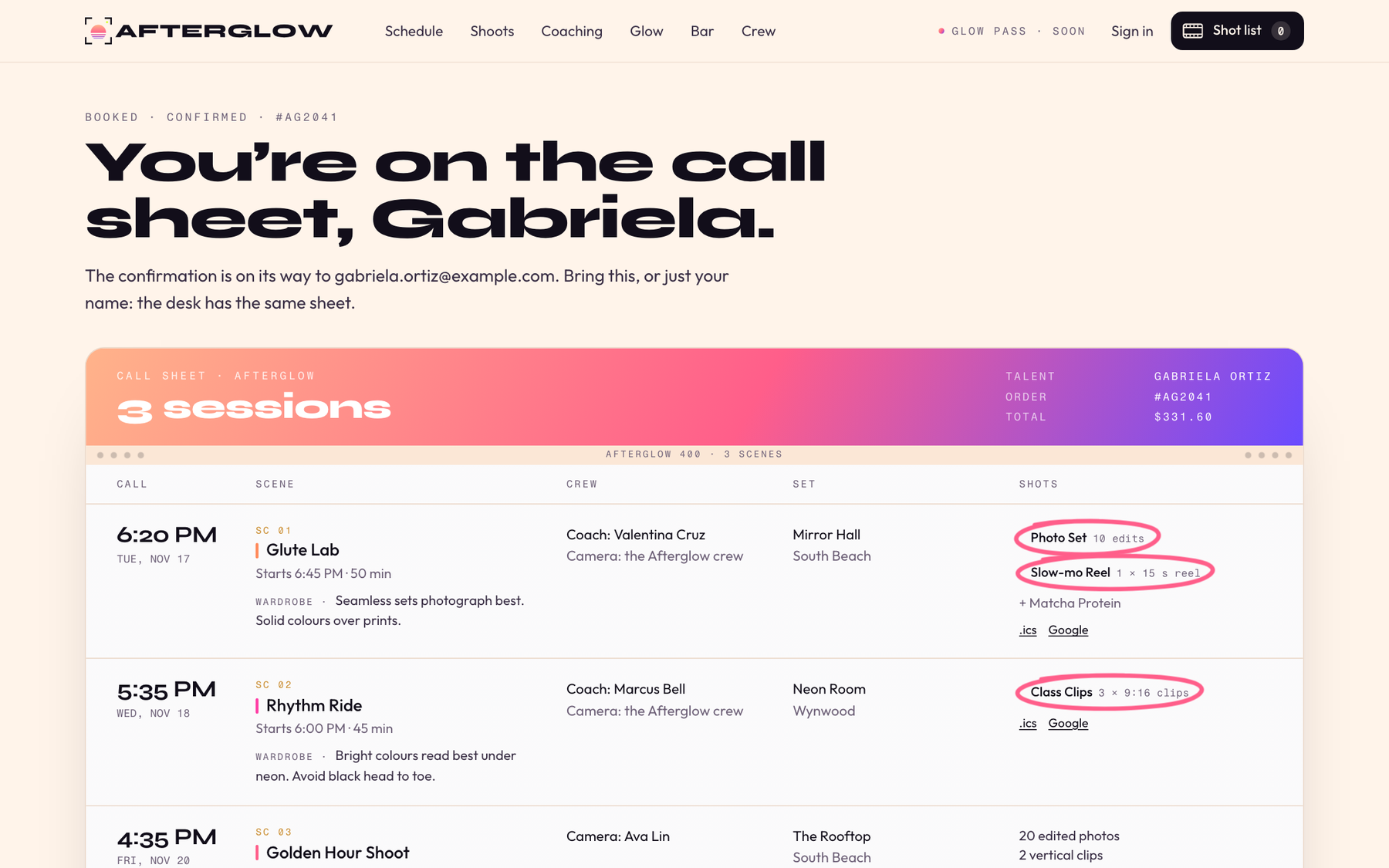
The call sheet: call times, crew, sets, wardrobe notes and the shots booked
The content gym model
This is the part worth copying even if you never ship Afterglow itself. It uses existing Opencals features only.What’s inside
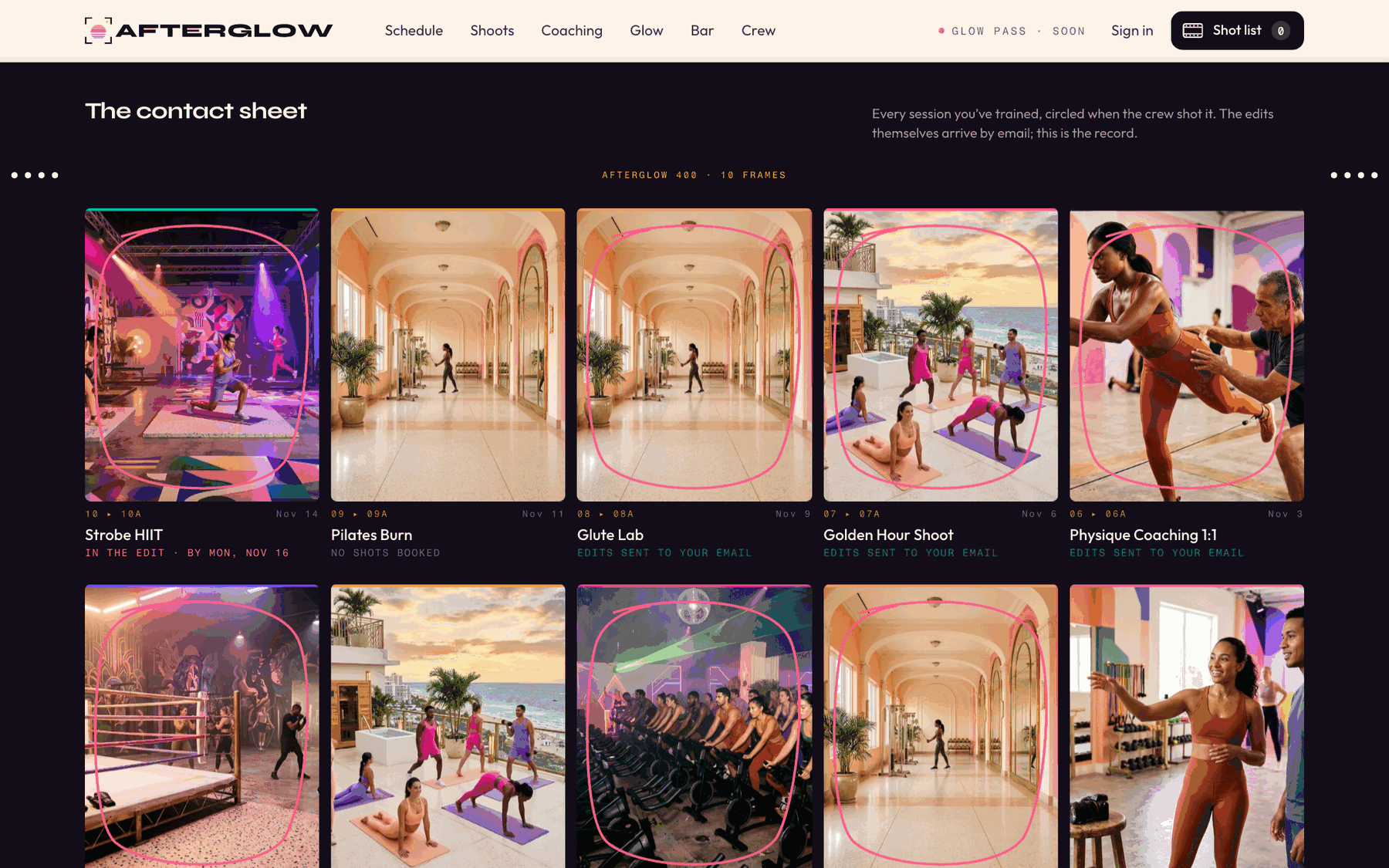
Your roll: past sessions on a contact sheet, circled when the crew shot them
Get started
1
Clone and install
2
Add your API key
Create a Dev Store in the Opencals dashboard with the
country set to the United States (for USD) and choose the Afterglow
dataset (
content_gym). It seeds the two sites, ten coaches and six crew,
the weekly timetable, coaching, shoots, glow and bar tables, three dated
events, the shot add-ons and bar menu, the checkout questions, four
discounts and sample bookings, so some classes are already full. Then grab
a private storefront key (spk_, see
API keys) and set OPENCALS_API_KEY and
AUTH_SECRET in .env.local.3
Run it
4
Deploy
Push to your own repo and
deploy to Vercel,
or host anywhere Next.js runs.
Pages are server-rendered, so their API calls carry no browser
Origin.
Leave allowed origins empty on the key you give this template, or those
calls are rejected.Set Storefront Base URL in your dashboard (Settings → API) to your
deployed domain. Every customer link (view, reschedule, cancel, leave
feedback) is built as
{storefrontBaseUrl}/link/{token}.Make it yours
MIT-licensed: rebrand it, restructure it, or use it for client work. Gym copy lives inlib/site-config.ts (the sets, which class runs on which set,
wardrobe notes, what the crew shoots, crew roles and handles, the shot
deliverables, the stories and the Glow Pass preview). Every colour and font is
a Tailwind v4 @theme token in app/globals.css, and DESIGN.md describes
the call-sheet system: