

Australia/Melbourne) with two sites, the Engine
House in Collingwood and the Yard in Cremorne, plus Mettle Remote online: 12
coaches in three tiers, 16 class types run as 39 weekly series, and 60
products in all. The design is rubber flooring and chalk: every discipline
takes the colour of a calibrated bumper plate (red strength, blue fight,
yellow conditioning, green mobility), and times read like an LED interval
timer.
Live demo
template-mettle.vercel.app
Source code
letsopencals/template-mettle (MIT)
Deploy to Vercel
One-click deploy
Build it with AI
build-booking-site skill
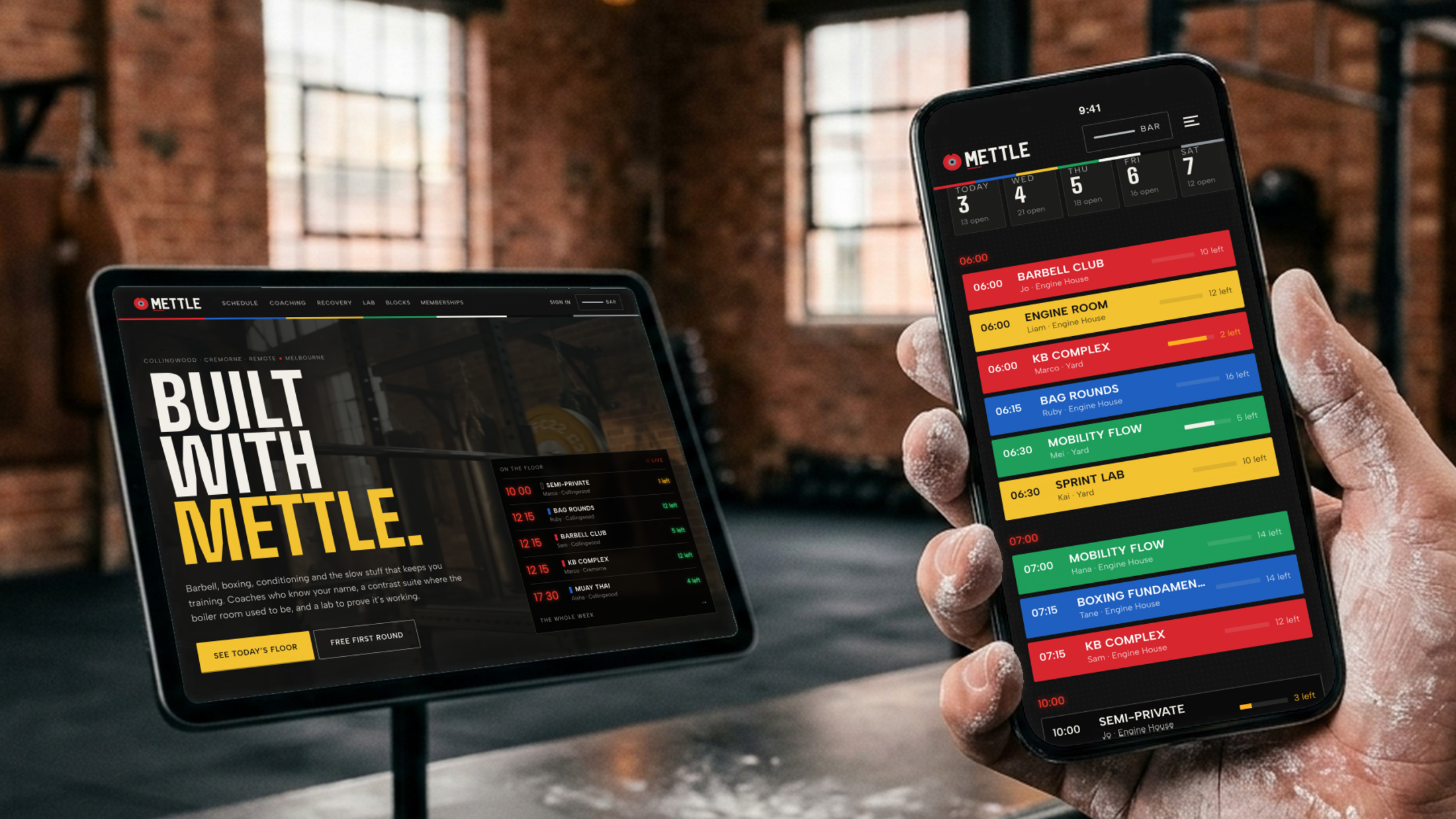
METTLE: the Floor on a phone in hand, the homepage on a tablet
The Floor
The timetable shows one day at a time on a horizontal clock, with one lane per discipline. Each session is a block in its discipline’s colour, placed at its start time and as wide as it is long, with the coach, the site and a places-left fill. The API drops a class once it’s full. Classes repeat weekly, so the template learns each series’ pattern and shows a missing week as Full, with a link to the next session with space. The day row sits right above the board, and the filters cover site, discipline, coach and intensity. Tapping a session opens its panel under the board: coach, site, intensity, extras, places for a friend, the price with any offer, and Load the bar. On a phone the lanes become an hour-by-hour list and the panel a bottom sheet.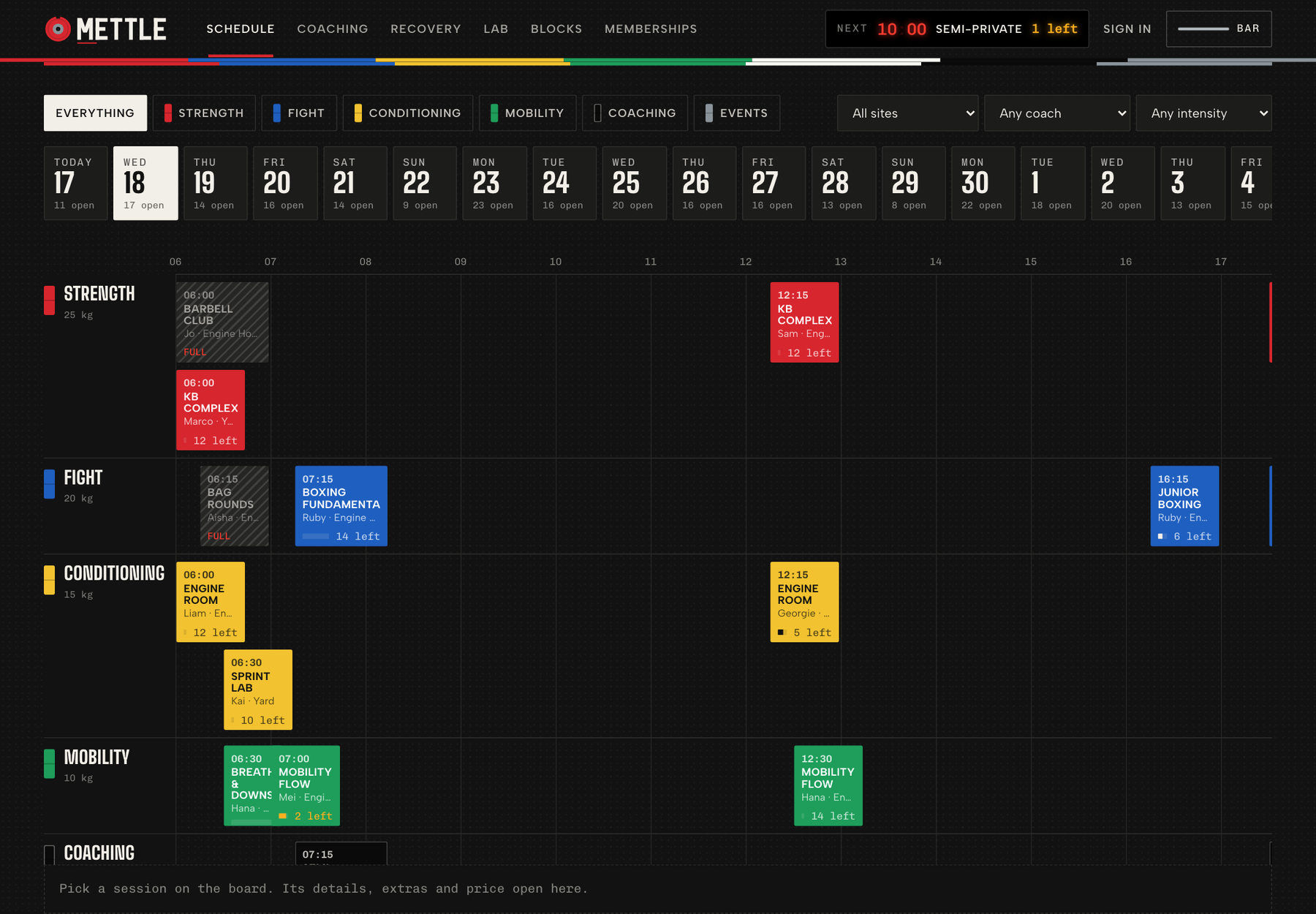
The Floor: one lane per discipline, each class placed at its start time with places left
The slot rack
Personal training, padwork, ring hire, the recovery suites and the lab tests all book the same way: pick the service and the option, then the coach (or the first free one), the site and the length, then a day and a plain time slot directly under it. The price updates in place. PT comes in three coach tiers at 30, 60 or 90 minutes; the price scales per 30 minutes.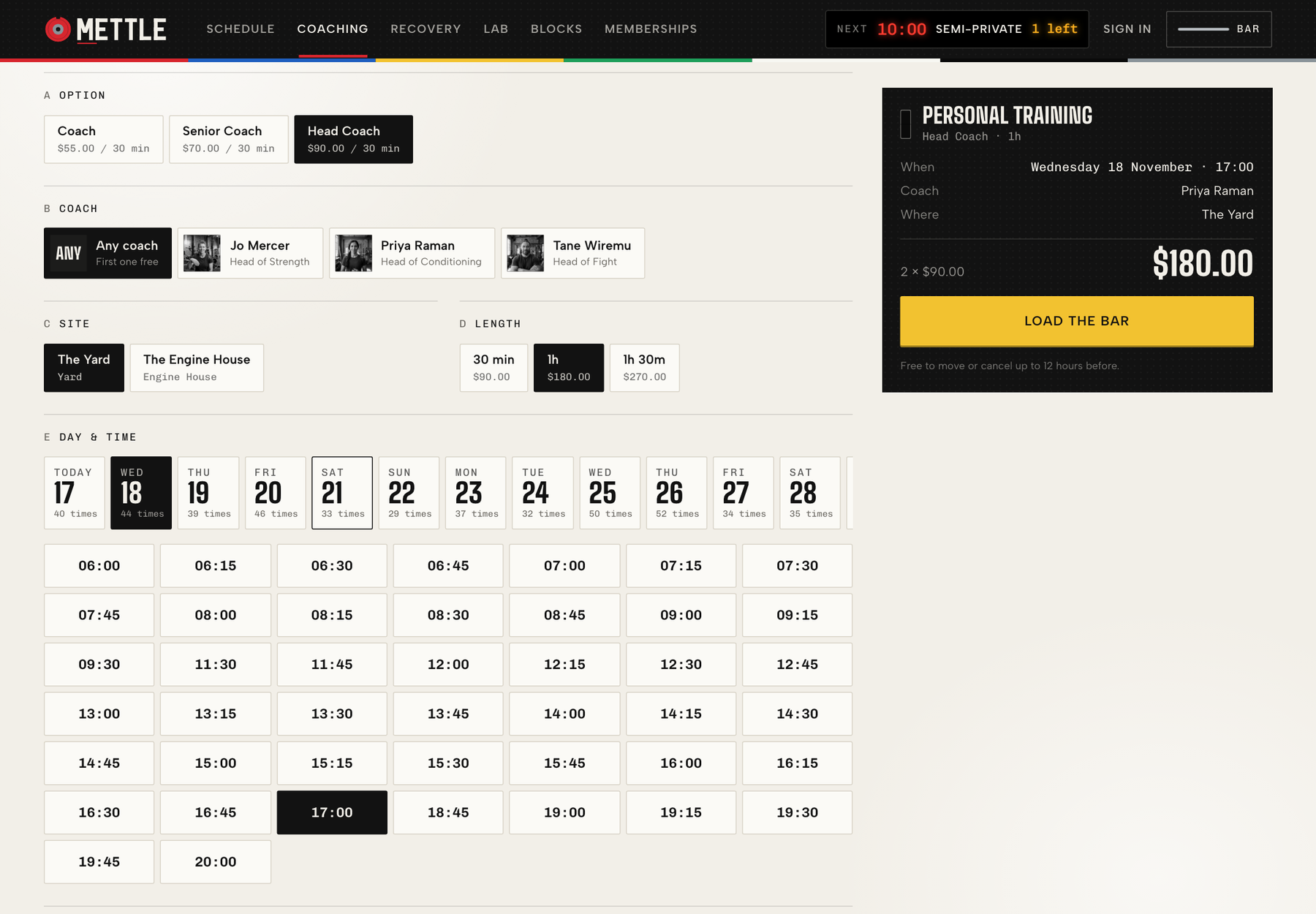
The slot rack: personal training by coach tier, length and start time
The Bar and Training Blocks
The cart is a barbell: every session you add racks a plate in its discipline’s colour. Under the bar, a scale marks the Training Block thresholds: book A$100 in one order for 10% off, A$250 for 15%. They’re ordinary automatic discounts with a minimum purchase amount, so the cart applies them itself; the template only shows how far you are./blocks has four curated bundles, such
as Fight Week (three fight classes and a contrast suite session): you pick a
real slot for each line and book the whole block in one checkout.
There are no memberships or class packs on the API, so METTLE doesn’t fake
them. /memberships is a clearly labelled preview (“Launching 2027”), and its
only call to action is the free First Round intro.
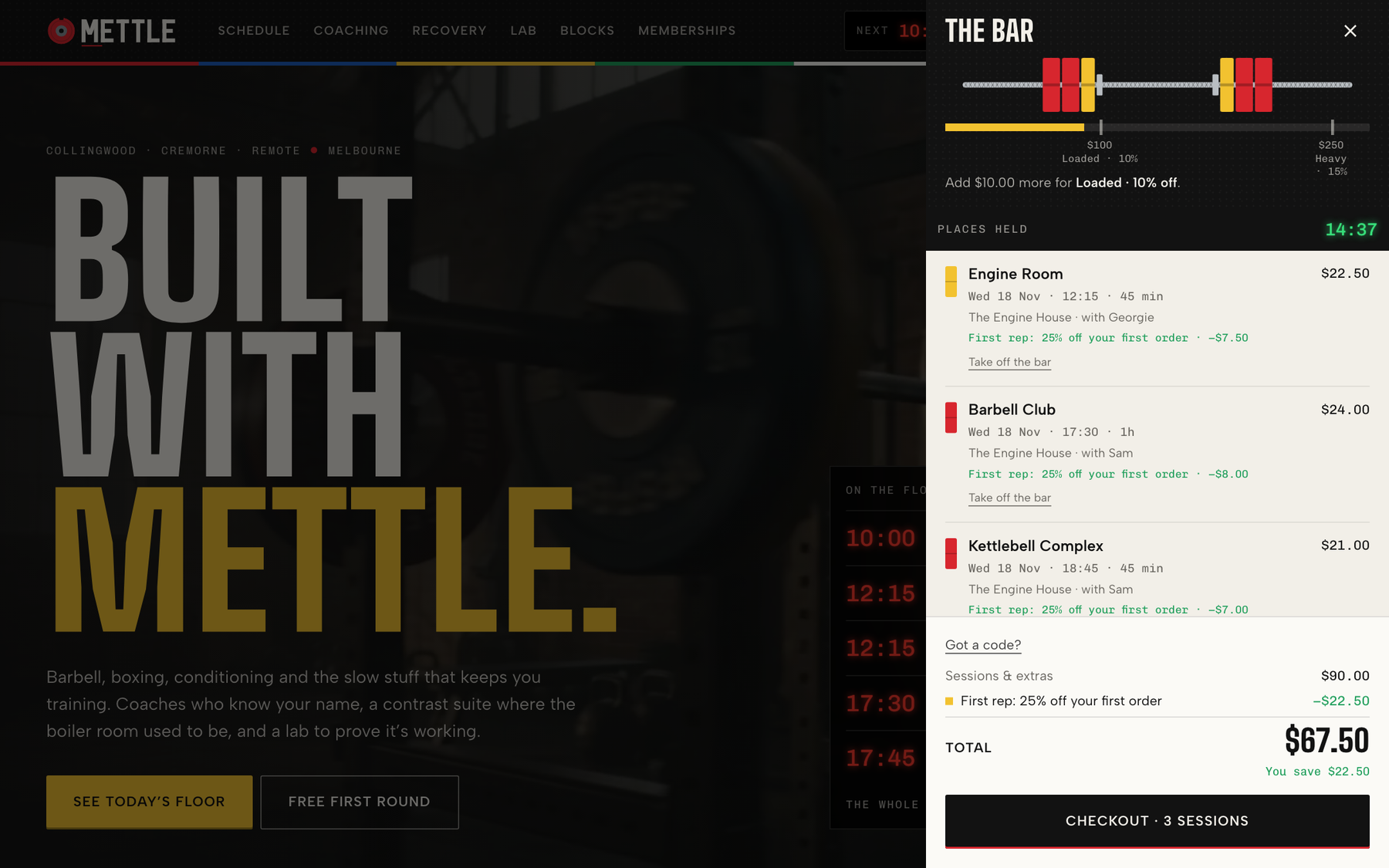
The Bar: the cart as a loaded barbell, with the Training Block discount applied
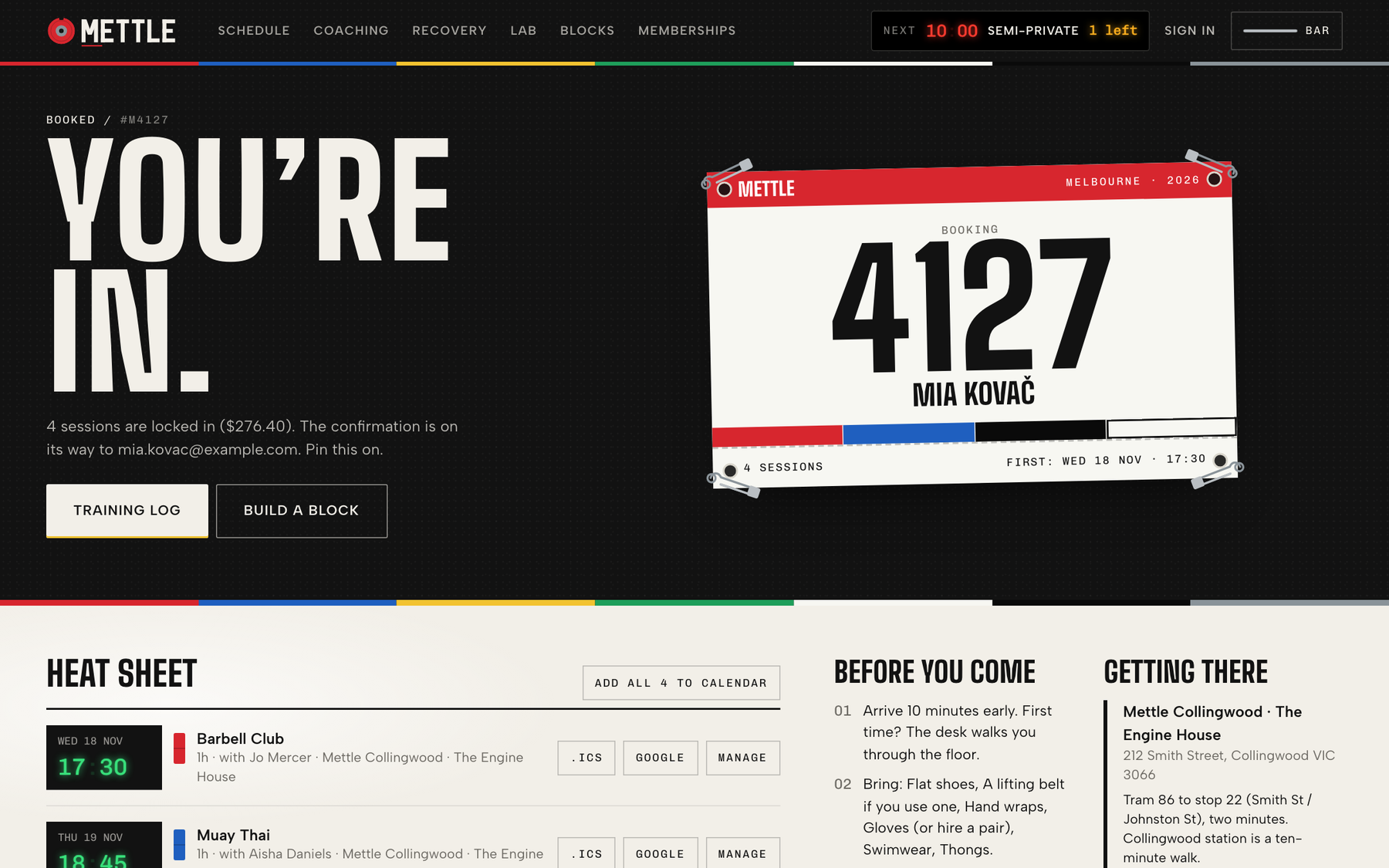
The race-bib confirmation
The gym model
This is the part worth copying even if you never ship METTLE itself. It uses existing Opencals features only.
Availability is read once per class series for the Floor, and once per
service, coach and site for the slot rack, each for the whole booking window
and cached for 60 seconds. The day strips and start times are worked out in
the browser.
What’s inside
Get started
1
Clone and install
2
Add your API key
Create a Dev Store in the Opencals dashboard with the
country set to Australia (for AUD) and choose the METTLE dataset
(
boutique_gym). It seeds the two sites and Mettle Remote, 12 coaches, 60
products, 7 add-ons, the checkout questions, five discounts and sample
bookings. Then grab a private storefront key (spk_, see
API keys) and set OPENCALS_API_KEY and
AUTH_SECRET in .env.local.3
Run it
4
Deploy
Push to your own repo and
deploy to Vercel,
or host anywhere Next.js runs.
Pages are server-rendered, so their API calls carry no browser
Origin.
Leave allowed origins empty on the key you give this template, or those
calls are rejected.Set Storefront Base URL in your dashboard (Settings → API) to your
deployed domain. Every customer link (view, reschedule, cancel, leave
feedback) is built as
{storefrontBaseUrl}/link/{token}.Make it yours
MIT-licensed: rebrand it, restructure it, or use it for client work. Gym copy lives inlib/site-config.ts (discipline colours, class intensity, coach bios
and tiers, the Training Blocks and their thresholds, the memberships preview).
Every colour and font is a Tailwind v4 @theme token in app/globals.css, and
DESIGN.md describes the design system: